
Best Drag and Drop Page Builders (2026 Update)
Drag‑and‑drop page builders make creating a website surprisingly easy.
You just need to grab the elements you want, drop them onto the page, and watch your design come to life, even if you have 0 knowledge about web building.
The best drag and drop page builders are intuitive, interactive, and perfect for beginners as well as users with some experience.
If you’re thinking about building your own site, you’re in the right place.
Let’s walk you through the most popular drag‑and‑drop page builders on the market so you can choose the one that fits your needs best.
The essential features of the best drag and drop page builders
Considering the large number of website builders out there, here is a short list of the important things that we consider any drag-and-drop page builder should have:
- General ease of use: All the site builders on this list are genuinely easy to use, some from the very first click, others after just a few minutes of exploring. You don’t need to be a designer, developer, or someone looking to make web design your next big career move. The goal is simple: give you a tool that helps you build the website you want, without the headaches, the steep learning curves, or the technical jargon. Whether you’re setting up your first page or making quick tweaks, the experience is designed to feel natural and frustration‑free.
- Attractive templates and themes: Another big advantage is the wide selection of templates and themes available. Whether you want something clean and minimalistic, bold and modern, or warm and creative, you’ll find plenty of options to match your style and goals. These templates give you a head start, so instead of building from scratch, you begin with a beautiful base and make it your own.
- Customization: No matter how good a model is, if it doesn’t reflect your branding, there will be problems in the future. Each site builder allows you (at a minimum) to change the colors, media, and typography of your site in order to maintain a consistent visual presence online.
- External integrations (plug-ins): A site builder that allows you to set up a few pages could be sufficient for simple projects. However, if your goal is to extend your business to the online world, you need to create an ecosystem that collects data, processes payments, and helps you get more clients. In those cases, the more plug-ins and features you have acces to, the better.
1. Site 123
Site123 offers a responsive design that doesn’t require coding.
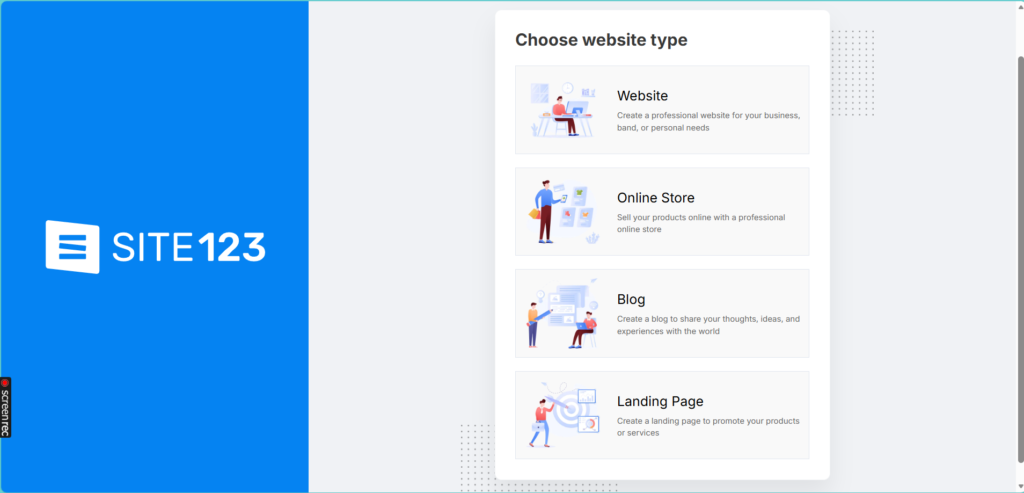
Their intuitive website allows newbies to easily get started.
SITE123 is known for being one of the easiest Drag and Drop Page Builders for beginners, thanks to its intuitive, section‑based editor and wide selection of responsive templates.
It’s especially appealing for users who want to publish a simple website quickly without technical skills.
The platform includes basic built‑in tools for blogging, e‑commerce, and marketing, plus 24/7 live chat support and a free plan that allows new users to explore most features before upgrading.
However, its simplicity comes with major limitations. SITE123 offers very restricted design flexibility, making it unsuitable for users who need deep customization or more advanced functionality.
Its e‑commerce, blogging, and marketing features are fairly basic, and connecting your own domain requires upgrading to a paid plan.
Like many Drag and Drop Website Builders, SITE123 also lacks essential integrations for modern online businesses, such as a built‑in CRM, automated pipelines, or 24/7 chatbots, which means users must rely on additional external tools.
However, the next option solves the main limitation that SITE123 and other drag‑and‑drop website builders struggle with.
2. TwiLead, AI power + drag and drop websites
Twilead isn’t just another tool, it’s one of the most complete Drag and Drop Website Builders you’ll find today.
Users refer to TwiLead as the Swiss knife for small businesses.
The main difference with the rest of the platforms is clear: You get all the marketing and sales options a small business needs in one platform.
In fact, the drag-and-drop website tool is just one of the multiple features TwiLead includes.
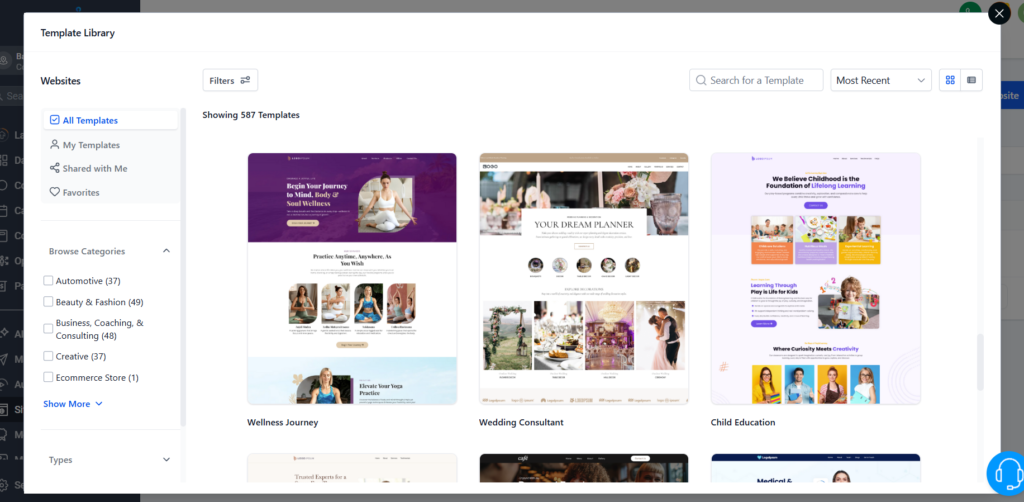
When you create a TwiLead account you get acces o a CRM, marketing automations, IA powered integrations and a built‑in hosting,
For sure, its website builder lets you design your site with a fully intuitive drag‑and‑drop interface, no coding required.
But the magic doesn’t stop there. Thanks to its seamless partner integrations, TwiLead helps you strengthen your entire online presence: boost your SEO, connect your Google My Business page, build high‑converting landing pages and sales funnels, and even add chatbots to your website.
Running an e‑commerce? Twilead has you covered with secure Stripe payments, inventory management, behavior‑tracking marketing tools, push notifications, and even the ability to create member‑only areas.
In short, Twilead is one of the most complete digital platforms on the market for its price, packed with unique features, and perfectly designed for today’s digital growth needs.
If you want to control your entire customer acquisition journey, from lead to loyal customer, while saving hundreds of dollars every month, this is the all‑in‑one tool you need.
3. Wix
Wix is a very complete tool, difficult to compete with in terms of features, functionality and value for money. It’s affordable, has a wide range of models and features. These are some of the product features
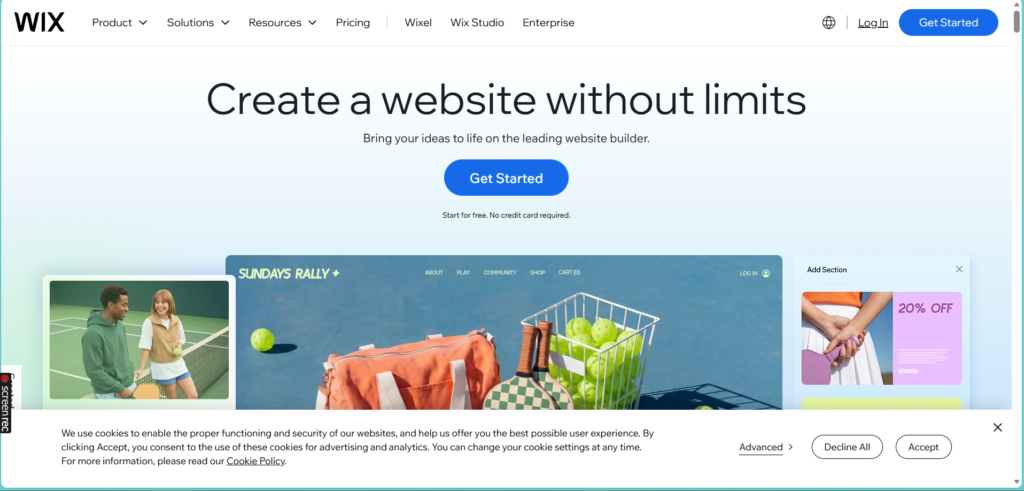
- Over 900 templates: That’s right, Wix owns over 900 templates designed for every imaginable use and industry. And if you really want to, you can even choose a blank template to design your site from scratch.
- A store of plugins, e-commerce integrations and blog design tools : With over 300 plugins to choose from, you’re guaranteed to add the exact functionality you want, whether it’s pricing tables, maps, fancy image galleries, or even systems of reservations.
- Wix SEO Wiz : One of Wix’s side services is an SEO tool that literally uses machine learning to do most of your SEO work for you.
Pricing Wix offers a total of 8 plans for you to choose from. Five of these plans focus on regular business sites, while the other three are designed specifically for e-commerce sites.
Despite having a free plan, the truth is that their options are pretty limited. If you want to create a website for a small business, you would need to choose between the most advanced plans, which prices go from $40 to $159.
Besides, you will need to invest between $200-$400 per month to get acces to other essential features that are not available on any Wix plan.
4. Squarespace
Squarespace is often mentioned among the most popular drag-and-drop page builders thanks to its clean interface and visually polished templates.
Its ease of use is one of the main reasons many beginners choose this drag and drop builder, especially for portfolios and simple online stores.
That said, Squarespace’s strengths in aesthetics often come with some limitations. While the templates are beautiful, they can feel restrictive for users who want deeper customization or more flexibility beyond what the visual editor allows.
Several reviewers note that Squarespace shines in design, but lacks advanced freedom compared to other drag and drop builders or CMS platforms.
Also, features like advanced ecommerce, scheduling, and email campaigns require separate subscriptions, and small businesses often discover additional costs as they grow. Forbes also highlights that transaction fees and processing structures can become confusing for entrepreneurs trying to track profitability.
That means that if you are a small business owner looking to build a website to get more clients, generate leads, or even create an online store, you would need additional platforms like CRMs, email marketing tools, and more.
That’s why many small business owners who choose SquareSpace thinking it will only cost $20 per month, eventually decide to switch to all‑in‑one platforms that include a drag‑and‑drop builder and all the features they need to run their business successfully in the online world.
5. Elementor from WordPress
Although WordPress isn’t technically a native drag‑and‑drop platform, it’s impossible to ignore it in a list of Drag and Drop Page Builders because plugins like Elementor turn WordPress into a fully visual site‑building experience.
WordPress itself is free, and its open‑source ecosystem gives you access to thousands of themes and plugins for almost any functionality you can imagine.
Elementor, in particular, provides an intuitive drag‑and‑drop interface, live editing, and a library of templates and widgets that make building custom layouts much easier for non‑developers
However, this flexibility comes with trade‑offs.
WordPress requires ongoing maintenance: theme and plugin updates, backups, performance optimization, and security hardening.
Many small business users also report slower site speeds with visual builders like Elementor, especially without proper hosting or optimization.
In fact, recent reviews highlight that Elementor can noticeably impact load times and requires frequent fixes and security updates.
Another challenge is that creating a “complete platform” in WordPress often means assembling dozens of plugins from different developers -not always free-. This increases complexity, potential conflicts, and costs over time.
And unlike true all‑in‑one business platforms, most Drag and Drop Website Builders (including Elementor + WordPress) lack essential business features out‑of‑the‑box, such as a built‑in CRM, automated pipeline management, or 24/7 chatbots, all of which typically require paid third‑party tools.
WordPress is free, but premium tools add up quickly. Elementor’s Pro plans for small business websites generally range from $59 to $129 per year, depending on the number of sites and features needed.
However, the costs to keep running your business online could increase to at least at $300 per month when you start investing in other platforms like CRMs, funnel creation, and sales automation.
6. Weebly
Weebly is known for its intuitive editor, the templates are clean and responsive, and it includes built‑in e‑commerce tools such as inventory management, in‑store pickup, and seamless payment processing through Square.
Weebly also provides solid essentials like free SSL, SEO tools, and a free plan, making it an appealing option for small businesses or first‑time website creators looking for an affordable entry point.
Despite its ease of use, Weebly suffers from limited design flexibility, which can feel restrictive compared to more modern or advanced builders.
Customization options are modest, and updates to the platform have slowed down in recent years, making it less competitive for users who want cutting‑edge features or deeper creative control.
Its free and lower‑tier plans also display Square ads, and integrations are less extensive than those offered by bigger competitors.
Main Differences Between the Best Drag and Drop Page Builders
The main differences between these platforms lies in their pricing, features, and target audience.
To help you quickly understand how each platform differs, here’s a clear side‑by‑side comparison of their main features, strengths, and ideal use cases
| Platform | Ease of Use | Key Features | Templates & Design | E‑commerce | Starting Price | Ideal For |
|---|---|---|---|---|---|---|
| Weebly | Very easy, beginner‑friendly [cybernews.com] | Drag‑and‑drop builder, SEO basics, app center, Square e‑commerce integration | ~65 templates, somewhat limited design freedom | Full store features including cart, inventory, payments, depending on plan | $0–$26/mo (annual billing) | Absolute beginners, simple business sites, small stores |
| Elementor | Easy to use, more advanced for full customization in WordPress [doindigital.com] | Visual editor, Theme Builder, 100+ widgets, forms, popups, AI features on higher plans [elementor.com] | 300+ Pro templates, complete design control [todaytesting.com] | WooCommerce Builder included in Pro for online stores | $5–$59+/mo depending on plan & hosting/plugin setup | WordPress users, designers, freelancers, agencies |
| Squarespace | Very intuitive, polished drag‑and‑drop experience [softwareadvice.com] | Hosting included, SEO, analytics, payments, marketing tools | High‑quality designer templates, visually strong | Commerce with no transaction fees on Commerce plans [typesofsoftware.com] | $16–$49/mo (annual billing) | Creatives, portfolios, small–medium stores, lifestyle brands |
| Wix | Very easy, highly flexible drag‑and‑drop builder | 2000+ templates, AI builder, apps, bookings, courses, e‑commerce, marketing | Very customizable; Studio available for advanced creators [forbes.com] | E‑commerce from Core plan; advanced features in Business/Elite [websitebui…expert.com] | $0–$159/mo (annual billing) | Any business size, from portfolios to large e‑commerce |
| Twilead | Easy, non‑technical, all‑in‑one with AI automation | AI CRM, AI agents, website builder, funnels, email/SMS, social media, bookings, invoices, unlimited features in one plan [capterra.com] | Unlimited websites + 750+ templates for sites/forms/surveys [saasbrowser.com] | Built‑in e‑commerce, payments, invoicing, funnels | $127/mo all‑in‑one plan | Small businesses wanting CRM + marketing + sales + website in one platform |
| SITE123 | Extremely beginner‑friendly, simplest of all | Basic editor, templates, hosting included, free plan, domain on paid plans [site123.com] | 130+ templates, limited customization [webcreate.io] | E‑commerce available on Professional and Gold plans | $0–$28.80/mo (annual billing) | Total beginners wanting a quick, simple website |
Conclusion: Which is The Best Drag and Drop Page Builder?
All of the best Drag & Drop page builders from this 2026 list bring different possibilities and opportunities to build and run the website your business needs! The best is to test a few to see which one you and your team feel most comfortable.
While all the platforms discussed have their unique strengths, TwiLead offers an advantage due to its all-in-one nature.
It combines website building with marketing automation, sales automation, and CRM features, providing a comprehensive solution for small businesses. This makes TwiLead a valuable tool for businesses looking to streamline their operations and maximize their growth.
Ready to build your website?
Start today with TwiLead
References
[1] Hostinger Pricing — Check How Much Does Web Hosting Cost
[2] Hostinger Review: Pros, Cons, Pricing & Performance Insights – TechRepublic
[3] Hostinger review 2025: Pros, cons and features tested – TechRadar
[4] 11 Pros and Cons of Squarespace – BrandonGaille.com
[5] 16 Pros and Cons of Squarespace in 2025 [Updated Guide]
[6] Squarespace Pricing 2025: Plans, Deals, and Hidden Costs – Tech.co
[7] SITE123 Pricing | Upgrade to Premium – SITE123
[8] Our Full Review of Site123: Here’s What You Need To Know
[9] SITE123 Website Builder Review 2025 – Pricing, Pros & Cons
[10] 19 Shopify Pros and Cons To Understand the Good and Bad
[11] Pros and Cons of Twilead 2024 – TrustRadius
[12] Top 3 Cheaper And Simpler CRMs Than Salesforce – TwiLead
[13] Hostinger Pricing Complete Breakdown [Choose Wisely]
[14] Hostinger Plans and Prices (2025): 10% Discount
[15] Squarespace Website Builder Review: Features, Pros & Cons
[16] Hostinger Review 2024: The Good & Bad (Honest Thoughts) – Design Bombs
[17] All Pricing Plans – Squarespace
[18] What You Need to Know About Squarespace Pricing in 2025