Key Takeaways
- An automated scheduler should shorten response time, reduce admin and move leads forward without extra staff effort.
- Manual scheduling becomes a wall for small businesses because missed bookings and forgotten follow-ups add up.
- Automate scheduler workflows without adding complexity, and avoid the biggest mistakes teams make.
- Look for the right platform features and prefer consolidation over yet another scheduling tool.
Introduction
Every missed booking has a cost. Not just the lost appointment, but the follow-up email someone forgot to send, the lead that cooled off overnight, and the staff time wasted juggling calendars instead of closing deals. That is why more small businesses want to automate scheduler workflows instead of relying on manual booking, scattered tools, and inbox chaos.
For a growing team, scheduling is not a side task. It sits right in the middle of sales, marketing, and customer service. If your scheduler is disconnected from your CRM, email campaigns, forms, and conversations, every appointment creates extra admin. One booking triggers five more tasks, and your team ends up doing work software should already be handling.
What an automate scheduler should actually do
A basic booking link is not enough anymore. If all your system does is let someone pick a time, you still have a process problem. A true automate scheduler should connect booking to the rest of the customer journey.
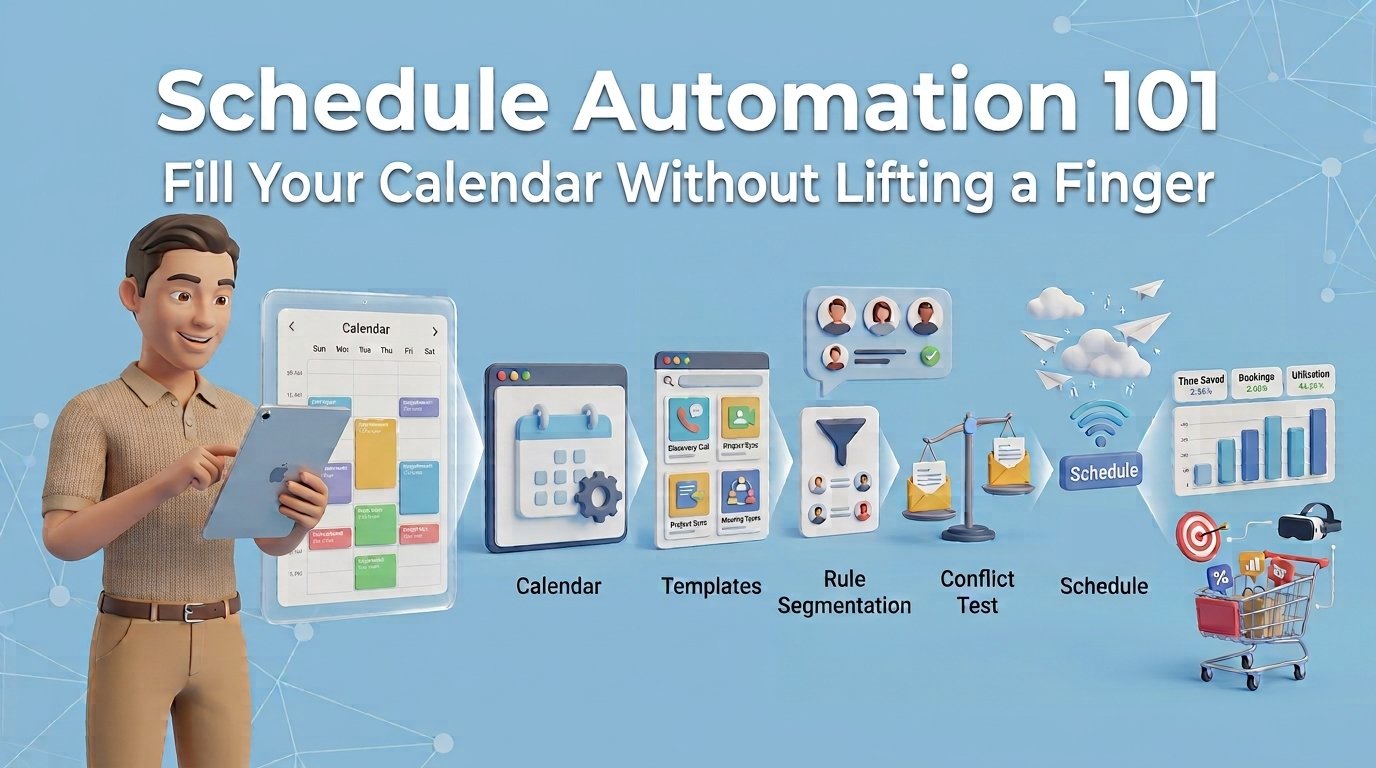
That means a prospect fills out a form, gets routed to the right rep, books a meeting based on availability, receives reminders, and lands in your CRM with the right tags and notes. After the appointment, the system should trigger a confirmation, a follow-up message, and the next stage in your pipeline. If someone cancels, the workflow should react instantly instead of leaving your team to clean up the mess.
This matters even more for small businesses with lean teams. You do not have a dedicated ops department to patch together six different apps. You need one system that works without constant babysitting.
Why small businesses hit a wall with manual scheduling
At first, manual scheduling feels manageable. One shared calendar, a few email templates, maybe a separate booking tool. But once your team is handling daily demos, discovery calls, client check-ins, and service appointments, the cracks show fast.
Double bookings happen. Leads book with the wrong person. Time zones get confused. Reminder emails go out late, or not at all. Sales reps lose context because appointment data lives in one app while lead history lives somewhere else. Marketing cannot track which campaigns are generating booked meetings because the scheduler and reporting tools do not talk to each other.
The bigger issue is hidden cost. Most businesses do not notice how much they are spending on disconnected scheduling until they add up the software stack. A booking app here, a CRM there, automation software on top, email marketing somewhere else. Each monthly charge looks small on its own. Together, it becomes another expensive patchwork that slows your team down.
How to automate scheduler workflows without creating new complexity
The goal is not to automate everything just because you can. The goal is to remove repetitive work while keeping the customer experience clear and human.
Start with the booking entry points. Where are appointments coming from right now? Website forms, landing pages, social campaigns, email outreach, inbound calls, and chat conversations should all lead into the same scheduling system. If every channel sends leads somewhere different, your process is already leaking revenue.
Next, define routing rules. Not every booking should go to the same calendar. A new sales inquiry may need round-robin assignment. A support request may need a customer success calendar. A high-value lead may need to go straight to a closer. Good scheduling automation is not just about availability. It is about sending the right person to the right next step.
Then build the communication layer. Confirmation messages, reminders, reschedule links, and post-meeting follow-ups should be automatic. This is where no-show reduction usually happens. People miss meetings when communication is inconsistent. They show up when reminders are timely, clear, and easy to act on.
Finally, connect scheduling to your pipeline. When an appointment is booked, create or update the contact record. Move the deal stage. Notify the assigned rep. Log activity automatically. If the meeting is completed, trigger the next sequence. If it is canceled, create a recovery task or send a rebooking message. This is where an automate scheduler stops being a calendar tool and starts acting like a growth system. For the complete picture, read our guide to schedule automation.
Want to know how you could improve your business?
Our team is available for a free consultation.
The biggest mistake teams make when they automate scheduler setups
They solve for convenience, not outcomes.
A lot of businesses choose a scheduler because it is easy to install. That part matters, but it is not enough. If the tool saves five minutes on booking but creates ten minutes of manual cleanup in your CRM, you did not really automate anything. You just moved the workload.
The better question is this: does your scheduler reduce admin across the full process from lead capture to closed deal?
If the answer is no, you are still buying point solutions. That is the trap many small businesses fall into. They keep layering apps to fix gaps created by the last app. Eventually the stack becomes expensive, fragile, and harder to manage than the original manual process.
What to look for in an automate scheduler platform
For most small businesses, the best setup is not the one with the most features. It is the one that replaces the most manual handoffs.
Look for built-in CRM syncing, calendar management, automated reminders, form capture, workflow triggers, team assignment rules, and reporting. If you also run email marketing, sales outreach, or customer conversations, it helps when those tools are already built into the same platform. That way your scheduling data does not live in isolation.
This is where all-in-one systems have a real advantage. Instead of connecting a scheduler to a CRM, then connecting both to email software, then adding automation in the middle, you manage the process in one place. Fewer tools means fewer breakpoints. It also means your team actually uses the system instead of avoiding it.
There is still a trade-off. Some standalone schedulers have niche features built for very specific use cases. If you run a highly specialized operation, that may matter. But for most sales teams, service businesses, consultants, and marketers, simplicity wins. A slightly narrower feature set inside one connected platform often produces better results than a best-of-breed stack nobody fully maintains.
Automate scheduler use cases that pay off fast
The fastest wins usually come from high-frequency workflows.
If your sales team books demos every day, automation can instantly reduce back-and-forth emails and improve speed-to-meeting. If you run consultations, strategy calls, or onboarding sessions, automated reminders can cut no-shows and keep calendars full. If your marketing team drives traffic to landing pages, direct booking tied to campaign tracking can show which channels are actually producing appointments, not just clicks.
Service businesses benefit too. Appointment automation helps with confirmations, intake forms, reschedules, and follow-up messages without extra admin. Freelancers and consultants see the same value on a smaller scale. When you are both the operator and the closer, every manual scheduling task steals time from billable work.
In each case, the return is not just time saved. It is more booked meetings, faster response, cleaner records, and less revenue slipping through process gaps.
Why consolidation matters more than another scheduling app
Small businesses do not usually lose because they lack software. They lose because they have too much of it.
Every extra tool adds another subscription, another login, another integration, and another chance for data to go missing. That is especially painful when scheduling touches so many parts of the business. A booking should not live apart from lead records, email sequences, chat history, invoices, and pipeline updates.
That is why platforms built for consolidation are getting more attention. TwiLead, for example, is designed around a simple idea: replace the fragmented stack with one system that handles CRM, automation, communication, booking, and growth workflows together. For small businesses trying to scale without enterprise pricing or enterprise complexity, that model makes more sense than paying for disconnected tools forever.
Build a scheduler that helps you grow
If your team is still copying appointment details between apps, chasing no-shows by hand, or paying for a scheduler that does not talk to your CRM, the problem is not your team. It is the system.
An automate scheduler should do more than fill your calendar. It should shorten response time, reduce admin, improve show rates, and move leads forward without extra effort from your staff. That is how scheduling stops being a routine task and starts becoming a real growth lever.
The best setup is usually the simplest one your team will actually use every day. Pick the system that removes friction, not the one that adds another monthly bill.