
Small firms often waste time chasing cold leads. Most tools promise big results, but they cost a lot and still miss the basics. In this guide we’ll walk you through every step you need to turn strangers into paying customers. You’ll see how to spot the right audience, capture contact info, nurture prospects, and close deals , all with tools you can afford.
An analysis of 14 lead‑generation SaaS platforms across 8 sources reveals that the only tool bundling appointment scheduling, AI agents and unlimited users at a single $127/month price is TwiLead , a surprise in a market where premium plans often exceed $200.
| Name | Lead Capture Methods | Pricing | Best For | Source |
|---|---|---|---|---|
| TwiLead (Our Pick) | Landing pages, website forms | $127/month | Best overall | twilead.com |
| Mailchimp | targeted email campaigns | Free plan with basic features. The Essentials plan starts at $13/month, the Standard plan at $20/month, and the Premium plan at $350/month | Best for email marketing integration | improvado.io |
| Keap | custom lead capture forms, landing pages | Pro at $159/month (1,500 contacts), Max at $229/month (2,500 contacts), Ultimate (custom pricing) | Best for premium all‑in‑one | addtocrm.com |
| HubSpot | forms, pop‑ups, chatbots, and landing pages | Free tier available indefinitely, Starter at $15/user/month, Professional at $90/user/month, Enterprise at $150/user/month | Best for scalable enterprise | addtocrm.com |
| LeadFuze | pre‑qualified leads delivery | The Starter plan begins at $132 per month for up to 500 leads per month. | Best for pre‑qualified leads | improvado.io |
| La Growth Machine | — | Basic plan at €50/month per identity for 250 lead enrichments monthly, Pro plan at €100/month per identity for 400 lead enrichments, Ultimate plan at €150/month per identity for 1,000 lead enrichments (annual billing, billed per identity/seat) | Best for LinkedIn enrichment | lagrowthmachine.com |
| Freshsales | built‑in phone, email, chat, and SMS capabilities | — | Best for multi‑channel capture | addtocrm.com |
| monday CRM | automated data capture from emails, calls, and meeting notes | — | Best for visual workflow | monday.com |
| Salesforce Sales Cloud | web‑to‑lead processes | — | Best for deep ecosystem | addtocrm.com |
| ActiveCampaign | form submissions | — | Best for advanced automation | addtocrm.com |
| Microsoft Dynamics 365 Sales | capture and manage leads via Outlook and Teams | — | Best for AI‑powered insights | addtocrm.com |
| ClickFunnels | Landing Pages, Lead magnets, Opt-in Forms, Surveys | Start for free today. | Best for funnel builders | clickfunnels.com |
| Zoho CRM | web forms, live chat, social media lead capture | free plan for up to three users | Best for free tier | addtocrm.com |
| Pipedrive | chatbot, live chat, web forms, prospector tool, Web Visitors add‑on | $14/user/month | Best for sales pipeline automation | addtocrm.com |
We searched for « lead generation SaaS small business » and scraped 46 product pages from 8 sources on April 14, 2026. We pulled data on capture methods, AI, pricing and then kept the items with at least three filled fields.
Step 1: Identify Your Ideal Customer Profile
Before you spend a dollar on ads, you need to know who you’re talking to. That’s what we call an Ideal Customer Profile, or ICP. An ICP is a sketch of the business or person who will get the most value from your product.
Start with three questions: What problem does my product solve? Who feels that pain the most? How much are they willing to pay?
Use the data you already have. Look at your best customers , the ones who pay on time and refer others. Note their industry, size, location and buying habits. Then write a short paragraph that captures those traits.
Here’s a quick template you can copy:
- Industry: local service businesses (plumbers, electricians)
- Company size: 1‑10 employees
- Annual revenue: $100K‑$500K
- Primary pain: too many admin tasks, lost leads
- Decision maker: owner or office manager
Once you have that sketch, test it. Run a small Facebook ad that targets « small business owners » in your city and use a simple landing page to collect names. If you get a decent conversion, you’re on the right track.
Tip: Keep the ICP short. A paragraph or a list works better than a long report. Your whole team should be able to read it in a minute.
Why this matters for LEAD GENERATION FOR SMALL BUSINESS is simple , you spend less on wasted clicks and more on people who actually buy.
Our pick, TwiLead, lets you tag each lead with the ICP fields you define, so you can segment and automate right away.
Want a deeper dive on AI tools that can enrich your ICP? Check outTop 10 AI Tools for Small Businesses in 2025. The article shows how AI can pull firmographic data without manual research.

Step 2: Build a Magnetizing Lead Capture System
Now that you know who to target, you need a way to grab their info. A lead capture system is a set of forms, landing pages and tools that turn visitors into contacts.
First, pick a single offer that feels valuable , a free ebook, a checklist, or a 15‑minute audit. The offer should solve a quick version of the problem you listed in the ICP.
Next, design a landing page that focuses on that offer. Keep the headline clear. Use a short sub‑headline that adds a benefit. Place the form above the fold so visitors don’t have to scroll.
When you build the form, ask only for what you need. Name, email and maybe phone. Extra fields lower the conversion rate. You can ask for more later in a follow‑up email.
Use a clear call‑to‑action button. Words like « Get My Free Guide » work better than « Submit ».
Test different versions. Change the button color, the headline or the image. Record which version gets the most sign‑ups.
One tool that makes this easy is TwiLead’s landing page builder. It lets you drag‑and‑drop sections, add a form, and connect the data to your CRM in seconds.
We also recommend a short video that explains the offer. It can boost trust and keep visitors on the page longer.
To keep the flow smooth, set up an automatic thank‑you email. Include the download link or a calendar link for a quick call.
Finally, connect the form to your CRM. If you use TwiLead, the integration is built in , every new lead appears in the contact list instantly.
Need more ideas on form design? SeePipedrive CRM Review and Full Testfor a look at how a visual pipeline can help you track form submissions.
Step 3: Nurture Leads with Automated Workflows
Getting a name and email is just the start. Most leads need more contact before they buy. Automated workflows keep the conversation going without you lifting a finger.
Start with a welcome series. Send the promised guide right away, then follow up with three more emails that share tips, case studies, and a soft sell.
Here’s a simple three‑email flow:
| Trigger | Action | Benefit |
|---|---|---|
| Form submitted | Send welcome email with download link | Immediate value, builds trust |
| 2 days later | Send tip email (quick win related to offer) | Shows expertise, keeps interest high |
| 5 days later | Send case‑study email | Social proof, moves lead toward buying |
| 7 days later | Send soft‑sell email with calendar link | Easy next step, higher conversion chance |
Each step should include a clear call‑to‑action. Use language like « Schedule a quick chat » rather than « Contact us ».
If a lead clicks a link but doesn’t reply, add a follow‑up reminder. TwiLead’s AI agents can send a friendly nudge based on behavior.
Segmentation matters. Split leads by source , Facebook ads vs. organic blog visitors. Tailor the email copy to each source for better relevance.
Measure open rates, click rates and reply rates. If a step underperforms, try a new subject line or a shorter email.
Automation also helps with lead scoring. Give points for each email opened, each link clicked, each page visited. When a lead reaches a threshold, move them to the sales pipeline automatically.
Step 4: Convert Leads into Paying Customers
Now you have warm leads. It’s time to turn them into revenue. Conversion is about removing friction and showing clear value.
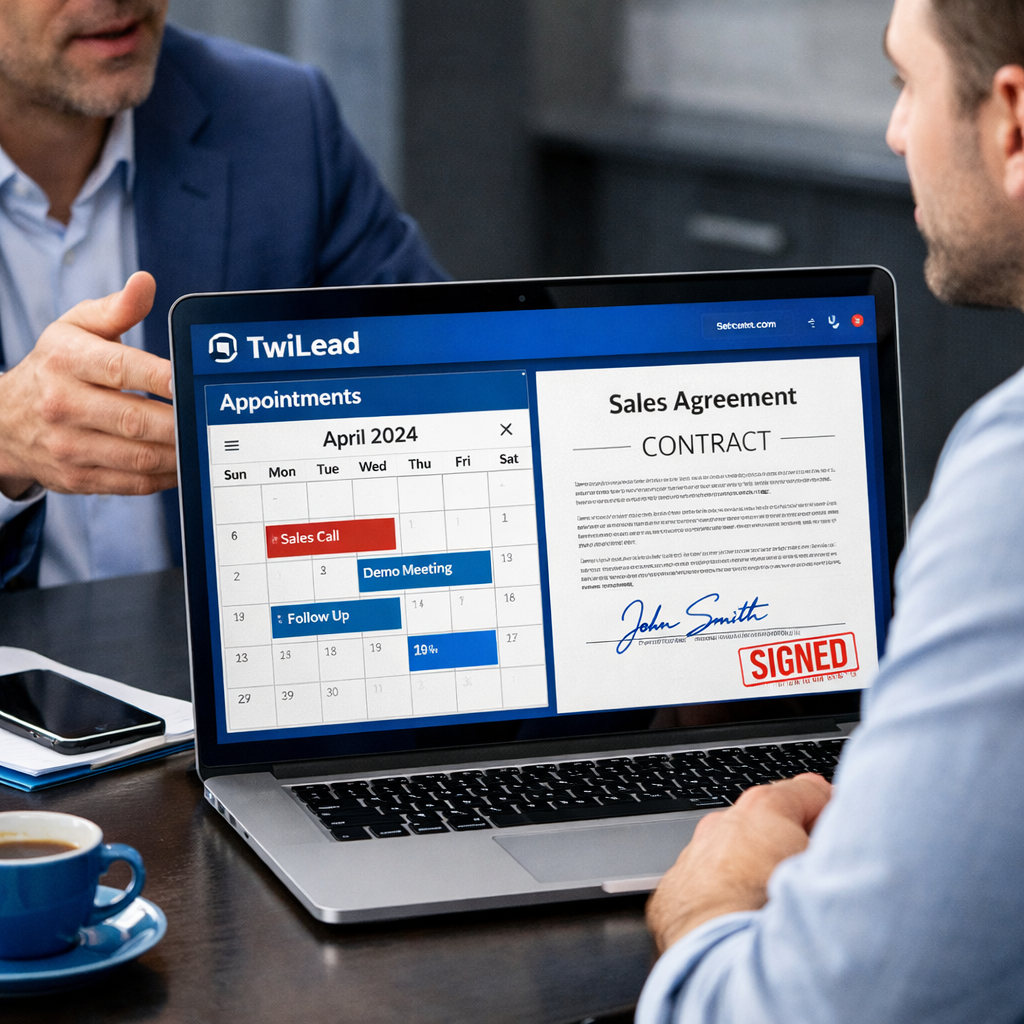
First, schedule a call or demo. Use an online calendar that syncs with your email. TwiLead’s built‑in booking tool lets prospects pick a slot that works for them, reducing the back‑and‑forth.
Before the call, send a short agenda. It lets the prospect know what to expect and shows you’re organized.
During the call, focus on the prospect’s pain points. Ask questions, listen, and then map your solution to those pains. Avoid a product‑centric monologue.
After the call, send a custom proposal within 24 hours. Include a summary of the discussion, clear pricing and next steps. Use TwiLead’s proposal builder to add your branding and a signature field.
If the prospect hesitates, offer a limited‑time discount or a bonus item , like a free month of email automation. This creates urgency without being pushy.
Close the deal by sending an invoice that can be paid online. TwiLead integrates with Stripe and PayPal, so you can collect payment instantly.
Follow up a week later to ensure the new customer is happy. A quick check‑in can turn a first purchase into a long‑term relationship.
Our pick, TwiLead, bundles all these steps , booking, proposals, invoices and AI‑driven follow‑ups , in one $127/month plan.
Read more about how fresh AI insights help sales teams inOur Opinion on Freshsales. The article explains how AI can surface buying signals, which you can replicate in TwiLead.
Conclusion
LEAD GENERATION FOR SMALL BUSINESS is not a magic trick. It’s a series of clear steps: know who you want, give them a reason to share contact info, stay in touch with value, and make buying easy.
We showed you how to define an Ideal Customer Profile, build a simple capture page, nurture with automated emails, and close with a smooth booking and proposal flow. By using an all‑in‑one platform like TwiLead, you avoid juggling multiple tools and you keep costs low , just $127 a month for unlimited users.
Ready to try it? Sign up for a 14‑day free trial, no credit card needed. Our support team is on standby 24/7 to help you set up the first landing page and workflow.
Remember, the faster you move a lead through the funnel, the less chance they’ll slip away. Keep testing, keep refining, and watch your sales grow.
Looking for more tactics? Check out Marketing Automation: Definition, Challenges, Tools and Practical Advice for deeper insight on scaling your efforts.
FAQ
What is the best way to start LEAD GENERATION FOR SMALL BUSINESS with no budget?
Begin with a free landing page builder and a simple offer like a checklist. Capture email addresses, then use a free email service to send a welcome series. Focus on one channel , for example, Facebook groups , and post regularly. Track sign‑ups in a spreadsheet until you can afford a CRM.
How many contacts should I add to my TwiLead CRM at first?
You can import all existing contacts at once , there is no limit. Start with your best 50 leads, tag them with the ICP fields, and set up a basic nurture workflow. As you add more, keep the segmentation simple: source, industry and score.
Do I need separate tools for forms, email and booking?
No. TwiLead bundles landing pages, email automation, and an online calendar in one place. This eliminates integration headaches and saves you the cost of multiple subscriptions.
How can I improve my email open rates for lead nurturing?
Write a short, personal subject line that mentions the lead’s name or a clear benefit. Send the email at a time when your audience is likely checking inboxes , usually mid‑morning on weekdays. Test two variants and keep the one with the higher open rate.
What metrics should I track to measure LEAD GENERATION FOR SMALL BUSINESS success?
Key metrics include: number of new contacts per week, conversion rate from visitor to lead, email open and click rates, and the percentage of leads that become qualified opportunities. Use TwiLead’s built‑in dashboard to view these at a glance.
Can I automate follow‑up calls after a demo?
Yes. Set a trigger in TwiLead that fires when a demo is marked complete. The workflow can send a thank‑you email, a short survey, and an automated reminder to schedule the next call. This keeps momentum without manual effort.
Advanced Lead Nurturing Tactics
Beyond basic email sequences, you can add retargeting ads that show only to people who opened your email but didn’t click. Use a pixel on your thank‑you page to feed the audience into a custom ad set.
Another tactic is to use dynamic content. If a lead downloaded an ebook about SEO, send them a case study that mentions SEO results. TwiLead’s AI agents can pull the right piece of content based on the lead’s previous actions.
Finally, consider a referral program. Offer a small discount or a bonus resource when a lead refers a friend who also signs up. This uses happy customers to bring in new prospects.
Free Tools & Resources to Jump‑Start Lead Generation
- Google Forms , quick, free forms that integrate with Sheets.
- HubSpot CRM free tier , basic contact management and email tracking.
- Zapier free plan , connects forms to email tools without code.
- Apollo’s free contact database , 230M+ verified contacts for outbound outreach.
- TwiLead free 14‑day trial , all‑in‑one platform for capture, nurture and close.
Quick Checklist: Lead Generation Essentials
- Define Ideal Customer Profile.
- Create a single high‑value offer.
- Build a landing page with a short form.
- Set up an automated welcome email series.
- Tag leads and score them.
- Schedule a call using an online calendar.
- Send a custom proposal and invoice.
- Follow up after purchase.