Key Takeaways
- An AI appointment setter automates scheduling, communicates with prospects, and reduces missed appointments by up to 30%.
- It integrates with your calendar and CRM, allowing for 24/7 availability and seamless data flow.
- TwiLead stands out for its unlimited calendar access and bundled features like CRM and marketing tools, making it ideal for small businesses.
- Follow a nine-step setup guide to efficiently implement an AI appointment setter tailored to your business needs.
- Most users experience a significant drop in no-shows due to automated reminders sent through various channels.
Introduction
Most small businesses lose sales because they can’t book meetings fast enough. An AI appointment setter can fix that. It works 24/7, books slots in seconds, and cuts admin costs.
In fact, Businesses that adopt an AI appointment setter often see a 30 % drop in missed appointments and a 20 % lift in qualified leads within the first month.
In this guide we’ll explain what an AI appointment setter does, break down its key features, show the tech behind it, walk you through a step‑by‑step setup, and help you pick the right tool for your needs.
Here’s a quick snapshot of the market we analyzed.
| Name | AI Automation Capabilities | Integrated CRM | Price | Best For |
|---|---|---|---|---|
| TwiLead (Our Pick) | Unlimited calendars and users. Marketing & sales automation, AI voice/chat/booking agents | Yes | 14‑day free trial, then $127/month, | small businesses |
| SetSmart | AI-powered lead qualification and automatic call booking across Instagram, WhatsApp, and Messenger. | No | Free 7-day trial, then $99/month | Coaches, consultants, infopreneurs |
| Appointwise | handles lead qualification across SMS, WhatsApp, Instagram, and Messenger | No | 14-day free trial, then $297/month . | Coaches and freelancers. |
| My AI Front Desk | AI receptionist books calls and auto‑adds appointments to calendar | Yes | $99/month | small businesses that handles short calls |
| Trevor AI | AI suggests time‑blocked calendar from to‑do list, offers focus mode | No | 5$/month | individuals wanting intentional daily planning and task‑time balance |
Methodology: We searched for “AI appointment setter” and scraped nine product pages from four domains on April 7, 2026, and recorded key data points such as automation capabilities, CRM integration, free‑tier options, and target use cases.
Table of content
What Is an AI Appointment Setter?
An AI appointment setter is software that talks to prospects, checks your calendar, and locks in a meeting without human help. It uses natural language processing (NLP) to understand phrases like “next Tuesday morning” and then finds a matching slot.
Think of it as a digital front desk that never sleeps. It can send confirmation emails, SMS reminders, and even reschedule when a conflict pops up.
Key parts of the flow are:
- Incoming message (chat, SMS, WhatsApp, Instagram DM)
- AI parses intent and gathers required info
- AI checks linked calendars
- AI creates an event, sends confirmation, and logs the lead in the CRM
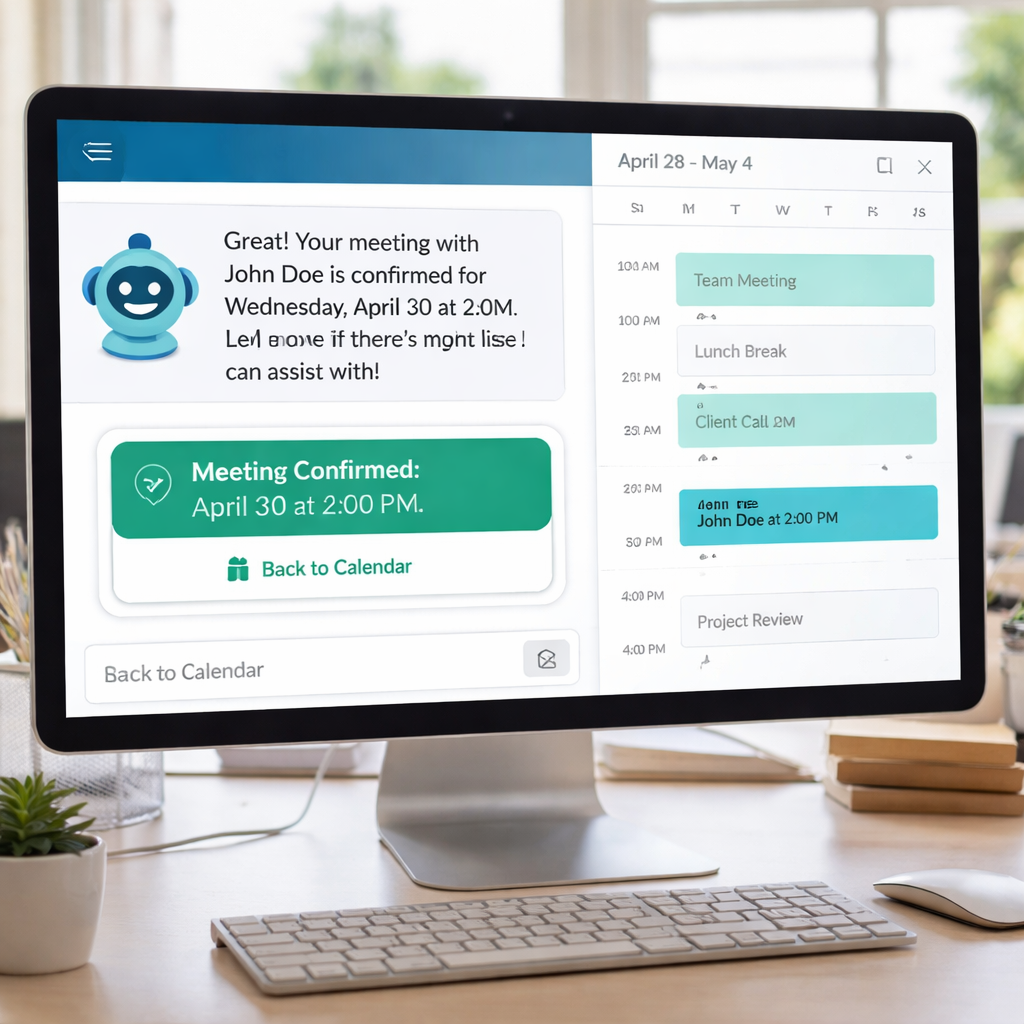
Because the AI can handle dozens of conversations at once, you never miss a lead that arrives after working hours.
Here’s a simple example of how it works: a prospect messages “Can I book a private class this Friday afternoon?” The AI replies, “Sure! We are available from 2 pm or 4 pm. Which works better for you?”
Once the prospect choose, the AI books the slot, adds the prospect to your CRM, and sends a calendar invite.
That level of automation saves time and cuts no‑shows.
Read more about how AI appointment setters boost efficiency.
Our pick, TwiLead, bundles multiple AI agents, a native CRM, an unlimited booking calendar, and a website builder, so you get the full sales stack in one place.
Want to know how you could improve your business?
Our team is available for a free consultation.
How AI Appointment Setters Work: Behind the Technology
AI appointment setters work by combining conversational AI with your calendar and customer data.
When a prospect reaches out—via chat, email, or messaging apps—the AI understands their request, asks the right follow-up questions, and checks availability in real time.
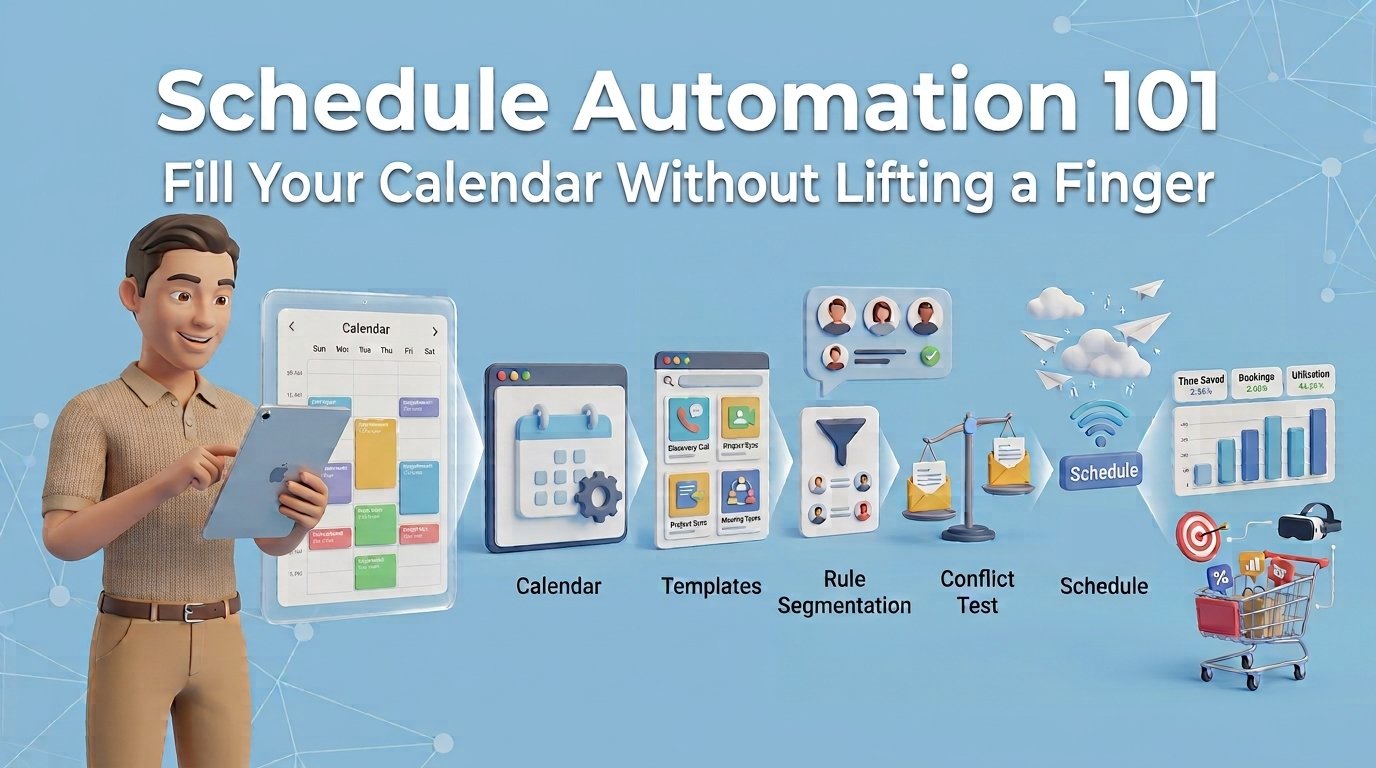
Once a suitable time is found, it automatically books the meeting and sends confirmations or reminders. An AI setter is one way to approach schedule automation; here is the full picture.
Behind the scenes, the AI learns from past conversations and booking rules you define (such as working hours, team availability, or lead priorities). This allows it to handle appointments 24/7, respond instantly, and keep your calendar organized reducing manual effort.
In short, an AI appointment setter acts like a virtual assistant: it talks to prospects, qualifies them, schedules meetings, and keeps everything in sync, so your team can focus on closing deals instead of managing calendars.
Choosing the Right AI Appointment Setter for Your Business
Not every AI appointment setter fits every business. Use this checklist to narrow down the options.
A freelancer may be well served by an AI appointment setter that handles just a few clients per month.
However, if your business relies on daily communication with prospects and customers and you have a team of at least 5 people, you should look for the following features.
| Feature | What it means? | Benefit |
|---|---|---|
| 24/7 Availability | Prospects and Customers can book anytime | More leads captured outside business hours |
| Multi‑Channel Support | Works on SMS, WhatsApp, Instagram, email | Reach customers on multiple channels |
| Lead Qualification | AI asks qualifying questions | You can qualify your leads |
| CRM Sync | Data flows automatically to your CRM | Each conversation creates a contact in your CRM |
| Automated Reminders | SMS/email reminders sent | Reduces no‑shows by up to 40 % |
| Analytics Dashboard | Shows booking trends | Helps you fine‑tune availability |
| Flat Pricing model | It doesn´t charge you extra for adding new users or agents | You are not charged for grow |
| Scalability | Your plan includes unlimited bookings and messages | The system can handle more appointments as you grow |
When we compare the platforms, TwiLead stands out because it’s the only one that includes unlimited calendars, unlimited AI agents, a native CRM plus a website builder and other marketing and sales tools.
You pay a monthly subscription and get an all-in-one system that helps you boost your sales and marketing automation.
Step‑by‑Step Guide to Implement an AI Appointment Setter
Getting started is easier than you think. Follow these nine steps and you’ll have a live AI scheduler in under a day.
1. Choose the best AI Appointment Setter
Use the key features we’ve covered to find a solution that aligns with your business goals, and don´t focus only in the price.
While lower‑cost AI appointment setters can work well for freelancers, they often limit conversations and bookings.
If you have a team of five or more and rely heavily on customer conversations, choosing a platform with unlimited conversations is usually the smarter, more scalable option.
2. Define Your Booking Flow
Write down every piece of info you need: name, email, phone, reason for meeting, and any custom fields (e.g., property ID for real estate). The AI is going to ask for this information in each conversation with a new prospect.
3. Choose a Conversation Platform
Pick where most of your leads come from. Instagram, WhatsApp, emails? Include them all.
4. Connect Your Calendar
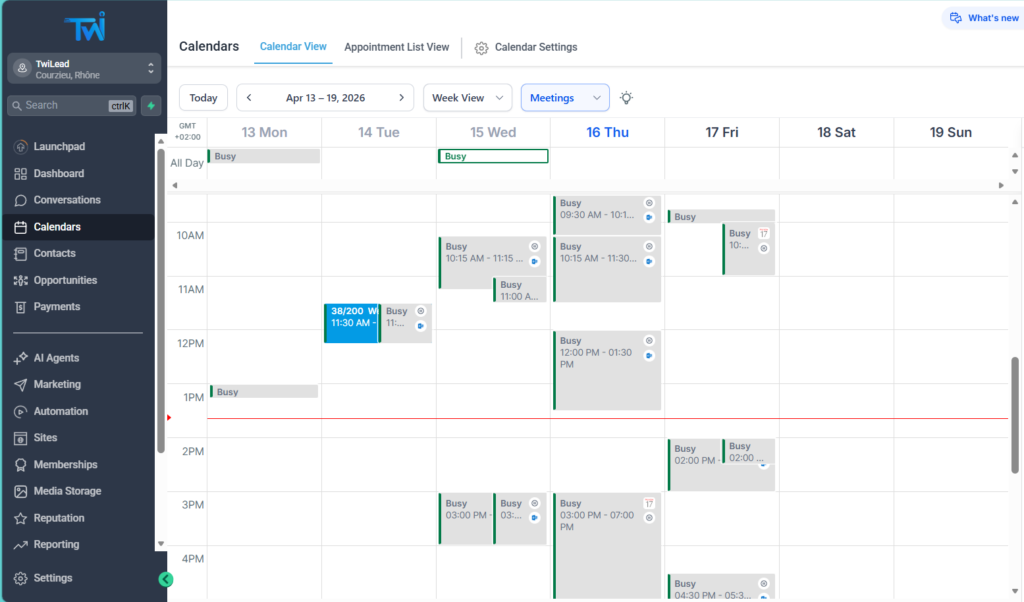
Authorize Google Calendar or Outlook. Test by creating a dummy event and see if the AI can read it.
5. Set Up CRM Integration
If you already use a CRM, map the AI fields to CRM columns. TwiLead does this natively, so you won’t need extra connectors. Each conversation will create or update the contacts on your CRM inmediately.
6. Write the Conversation Script
Start with a friendly greeting: “Hi, I’m Alex’s AI assistant. I can help you book a quick call.” Then ask for the required info, confirm, and offer slot options.
7. Add Qualification Questions
Ask a short question that tells you if the lead is a good fit, such as “What’s your budget range?” This filters out cold prospects early.
8. Test Internally
Run a few test chats with your team. Check that the AI picks the right slots, logs the lead, and sends the right reminder.
9. Go Live and Monitor
Turn on the bot for real traffic. Review the analytics dashboard daily for the first week and tweak the script based on missed intents.
By following these steps you’ll have a fully automated booking engine that works while you sleep.
Conclusion
We’ve covered what an AI appointment setter is, why it matters, the tech that powers it, a hands‑on setup guide, and how to pick the right tool.
The data shows that only TwiLead provides acces to unlimited users for the same price. Making it the best option for small businesses.
TwiLead also bundles a native CRM plus calendar automations, a website builder, and sales/marketing tools, making it the smartest and best cost-effective choice.
Start by defining your booking flow, connect your calendar, and launch the AI. Track metrics like booked meetings, no‑show rate, and lead quality to see ROI within weeks.
Ready to simplify your scheduling and grow your pipeline?
Explore TwiLead’s all‑in‑one platform and start your free trial today.
FAQ
What is an AI appointment setter?
An AI appointment setter is a software agent that talks to prospects, gathers needed details, checks your calendar, and books a meeting automatically. It works around the clock, sends confirmations, and can log the lead into a CRM, saving you time and reducing missed appointments.
How does an AI appointment setter differ from a chatbot?
Chatbots follow fixed scripts and can’t adapt when a user says something unexpected. An AI appointment setter uses large language models to understand context, ask follow‑up questions, and handle objections, much like a human setter would.
Can I use an AI appointment setter with my existing CRM?
Yes. Most tools offer API connectors that sync data in real time. TwiLead even includes a native CRM, so you get a smooth flow without extra integration work.
Is a free trial worth trying?
Absolutely. Four of the nine platforms in our study offer a free tier or trial. TwiLead gives you a 14‑day trial with no commitment, letting you test the full feature set before you decide.
Will an AI appointment setter reduce my no‑show rate?
Most users see a 20‑40 % drop in no‑shows thanks to automated reminders sent via SMS, email, or chat. The AI can also flag high‑risk appointments for a personal follow‑up.
How much does an AI appointment setter cost?
Pricing varies. SetSmart starts at $99 / month after a 7‑day trial. Appointwise costs $297 / month after a 14‑day trial. TwiLead’s all‑in‑one plan is $127 / month and includes CRM, marketing automation, and unlimited bookings, giving you the best bang for your buck.