Key Takeaways
- Good booking software makes it easy for clients to say yes.
- Choose software with clear service options, reminders and calendar sync.
- Reduce no-shows before they happen and connect appointments to sales follow-up.
- Decide whether payment belongs in the booking flow.
Introduction
A prospect finally decides to book a call, lands on your calendar, and sees only scattered time slots, no clear service options, and no reminder. That is not a small admin problem. It is a sales leak. The best booking software for freelancers does more than prevent double bookings. It removes friction between interest and a paid conversation.
For a freelancer, every appointment can lead to a project, a retained client, a referral, or a lost opportunity. That makes booking software part of your sales process, not just a digital calendar. The right choice should help people book quickly, show up prepared, and receive the next step without you chasing them manually.
What freelancers should expect from booking software
Basic schedulers solve one problem: they let someone choose an available time. That is useful, especially when you are tired of long email threads asking, “Does Tuesday at 2 work?” But basic scheduling alone can leave the rest of the customer journey disconnected.
A stronger system supports the work that happens before and after the appointment. It should confirm the booking, send reminders, collect the details you need, store the contact, and prompt a follow-up when the meeting ends. If you sell paid sessions, it should also make payment simple.
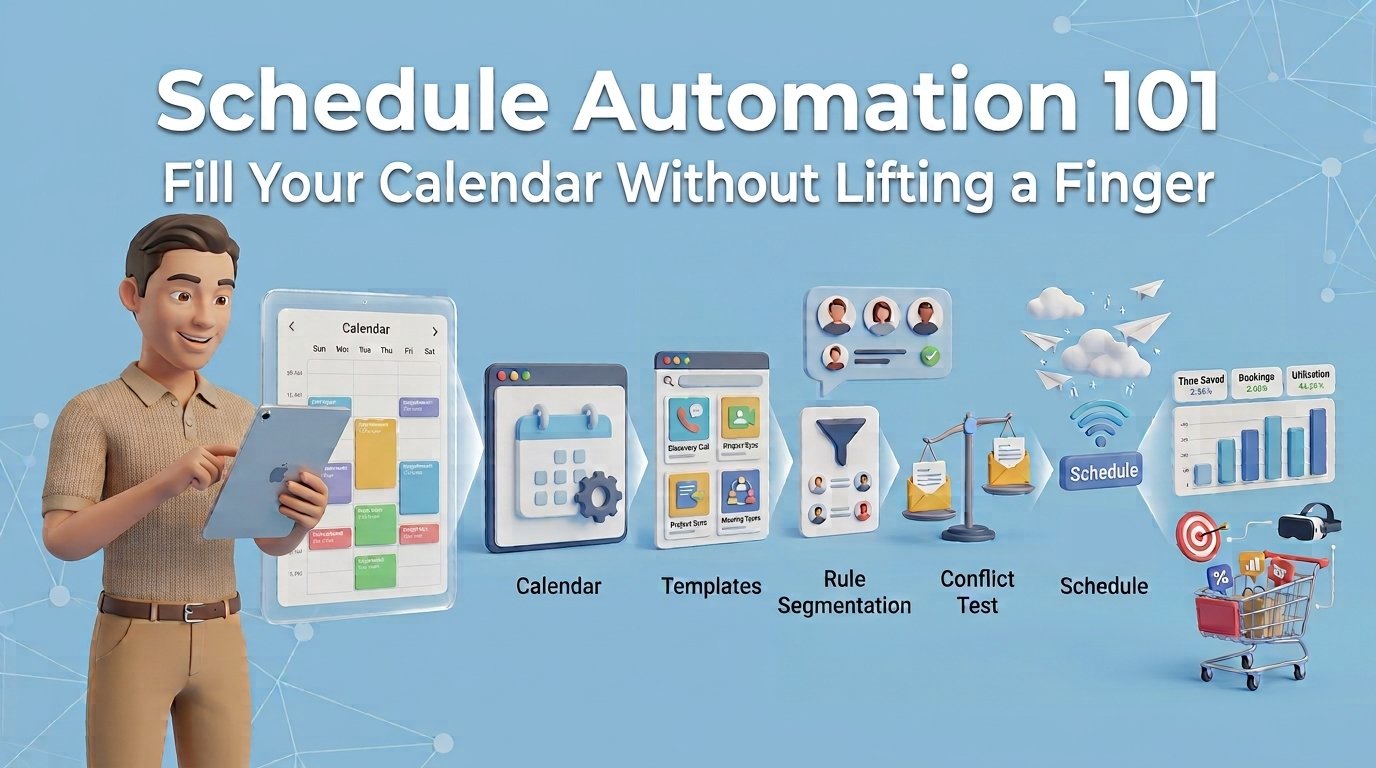
The goal is not to buy the longest feature list. It is to reduce no-shows, respond faster, and make each booked meeting easier to turn into revenue. Booking software is the foundation of schedule automation, which fills your calendar without endless back-and-forth.
How to choose the best booking software for freelancers
Start with your actual booking flow. A coach booking discovery calls has different needs from a photographer selling paid sessions or a marketing consultant managing project reviews. Write down what happens from the first inquiry through payment and follow-up. The gaps in that process tell you what your software needs to do.
Make it easy for clients to say yes
Your booking page should be clear enough that a new prospect can act without emailing questions first. List the service, meeting length, price when relevant, and what the client should expect. Use separate booking options for different conversations, such as a 15-minute fit call, a 60-minute strategy session, or an existing-client check-in.
Availability rules matter more than most freelancers expect. Set buffers before and after calls so your day does not become a string of back-to-back meetings. Limit how far ahead people can book if your schedule changes often. If you work with clients across the country, automatic time-zone display is essential.
A clean booking experience signals that you run an organized business. It also protects your time from calls that should have started with a short qualification form.
Reduce no-shows before they happen
No-shows are expensive because they cost more than an empty calendar slot. They interrupt your day and often delay the sale. The right software should send an immediate confirmation and one or more reminders by email or text message.
For higher-value calls, add a few questions at booking. Ask what the prospect needs help with, their timeline, and the outcome they want. Keep it short. A long form can reduce bookings, while three useful questions can help you prepare a relevant conversation and identify poor-fit leads early.
If a prospect does not show, do not let the lead disappear. Your booking process should trigger a polite rescheduling message and place that contact into a follow-up sequence. A missed meeting is not always a dead lead. Sometimes it is a busy person who needs one easy path back to your calendar.
Connect appointments to your sales follow-up
This is where many popular scheduling tools fall short. They book the meeting but do little to help you move it forward. You may then copy contact details into a CRM, create a task, send a separate email, and hope nothing falls through the cracks.
For a freelancer with a steady lead flow, that manual handoff becomes costly. Choose software that keeps booking data connected to your client records and sales pipeline. When someone books, you should be able to see who they are, what they requested, where they came from, and what needs to happen next.
For example, a web designer could automatically tag a new discovery-call booking as a website lead, send a pre-call questionnaire, create a follow-up task, and send a proposal reminder after the call. The designer spends less time moving information between apps and more time preparing a useful recommendation.
Decide whether payment belongs in the booking flow
Payment is not necessary for every appointment, but it is valuable for consultations, coaching sessions, workshops, and other paid time blocks. Requiring payment or a deposit at booking can reduce no-shows and remove an awkward follow-up step.
There is a trade-off. A paid booking flow may reduce the number of casual inquiries, which is often good when your time is limited. But for a high-ticket service with a longer sales cycle, a free discovery call may create less resistance. Match the payment requirement to the purpose of the meeting.
Three types of booking tools and their trade-offs
Freelancers generally choose between a simple scheduler, a specialized service platform, or an all-in-one growth platform.
A simple scheduler is fast to set up and usually inexpensive. It works well if you need a shareable calendar link and little else. The drawback is that you may still need separate tools for contact management, email marketing, forms, payments, and follow-up automation.
A specialized platform can be a good fit for businesses built around appointments, such as wellness professionals, photographers, or tutors. These tools may offer client packages, class scheduling, or service-specific workflows. Before committing, check whether you will still need separate software to capture leads and manage sales conversations.
An all-in-one platform makes the most sense when appointments are part of a broader lead-generation and sales process. Instead of connecting a scheduler to a CRM, email platform, website form, and automation tool, you run the journey in one place. TwiLead is built for this approach, combining online booking with lead capture, customer communication, pipeline management, payments, and automated follow-up for one predictable monthly price.
The best option depends on where your business is today. If you book a handful of calls each month, simple may be enough. If you are losing track of inquiries, following up late, or paying for several disconnected subscriptions, consolidation can save both time and money.
Questions to ask before you commit
Do not judge booking software by the demo alone. Test it from your client’s perspective. Create a sample booking, read every confirmation message, and see where the contact record goes afterward.
Ask these practical questions:
- Can a new lead book from my website, social profile, or email without creating an account?
- Can I collect the information I need without making the form feel burdensome?
- Will reminders go out automatically by the channels my clients actually check?
- Can I see booked appointments alongside my leads, client history, and next sales tasks?
- Can I automate the follow-up after a completed call, canceled appointment, or no-show?
- What other subscriptions will I still need after paying for this tool?
That final question is often the most revealing. A low monthly price can become expensive when it creates a stack of add-ons and manual work. A platform that costs more on paper may be the better value if it replaces several tools and prevents missed opportunities.
Set up your booking process for better conversion
Software cannot fix a vague offer. Before publishing your booking page, decide exactly what each appointment is for. Name it around the client’s outcome rather than your internal process. “Website Growth Consultation” is clearer than “Intro Call.” Explain what the person will leave with and who the appointment is best for.
Then build a simple sequence around it. A new booking should receive confirmation, a reminder, and any preparation instructions. After the meeting, send a relevant next step quickly: a proposal, payment request, recap, or resource. If the prospect is not ready, schedule a thoughtful follow-up instead of relying on memory.
Review your numbers monthly. Track bookings, show rates, conversion from meeting to sale, and the source of your best clients. If one booking link brings many calls but few qualified prospects, adjust the page copy or questions. If reminders improve attendance, keep them. Small changes to this process can create meaningful revenue gains without spending more on advertising.
Your calendar should not be a passive list of open hours. Set it up as a clear path from first interest to the next committed action, and each appointment has a better chance of becoming the client relationship you wanted it to be.
Want to know how you could improve your business?
Our team is available for a free consultation.