Key Takeaways
- Business automation stops you from juggling repetitive tasks.
- Identify repetitive tasks, map your workflows and choose the right tools.
- Automate email sequences for lead nurturing, plus lead capture and data entry.
- Monitor and optimize performance so your automations keep delivering.
Introduction
Running a small business feels like juggling knives. One slip and a task falls flat. The good news? You can stop juggling.Business automationslet you lock down routine work so you can focus on growth. In this guide we walk through five clear steps to plan, build, and fine‑tune automations that actually work for a solo‑owner or a ten‑person team. By the end you’ll know exactly where to start, which tools fit your budget, and how to keep the system humming.
Step 1: Identify Repetitive Tasks That Slow You Down
First, list every task you do every day. Look for actions you repeat at least three times a week. Common culprits are data entry, invoice creation, follow‑up emails, and appointment scheduling. When you write them down, you can see the hidden cost in minutes and dollars.
Grab a spreadsheet or a simple note app. Create three columns: Task, Time spent, Pain level (low, medium, high). Fill it in for a full work week. You’ll likely notice that a few tasks eat up most of your time.
Here’s a quick example from a local bakery owner:
- Enter daily sales into a spreadsheet , 30 minutes
- Send order confirmations , 20 minutes
- Reply to supplier emails , 15 minutes
Those three items add up to over an hour each day. That hour could be spent on baking new pastries or talking to customers.
Why does this matter? Every minute you spend on a repetitive job is a minute you can’t use for revenue‑generating work. Automating just one of those tasks can free up 10‑15% of your week.
Now you have a clear map of what to automate first. The highest-impact automation for most small businesses is to automate your sales process.
Step 2: Map Your Workflows and Choose the Right Automation Tools
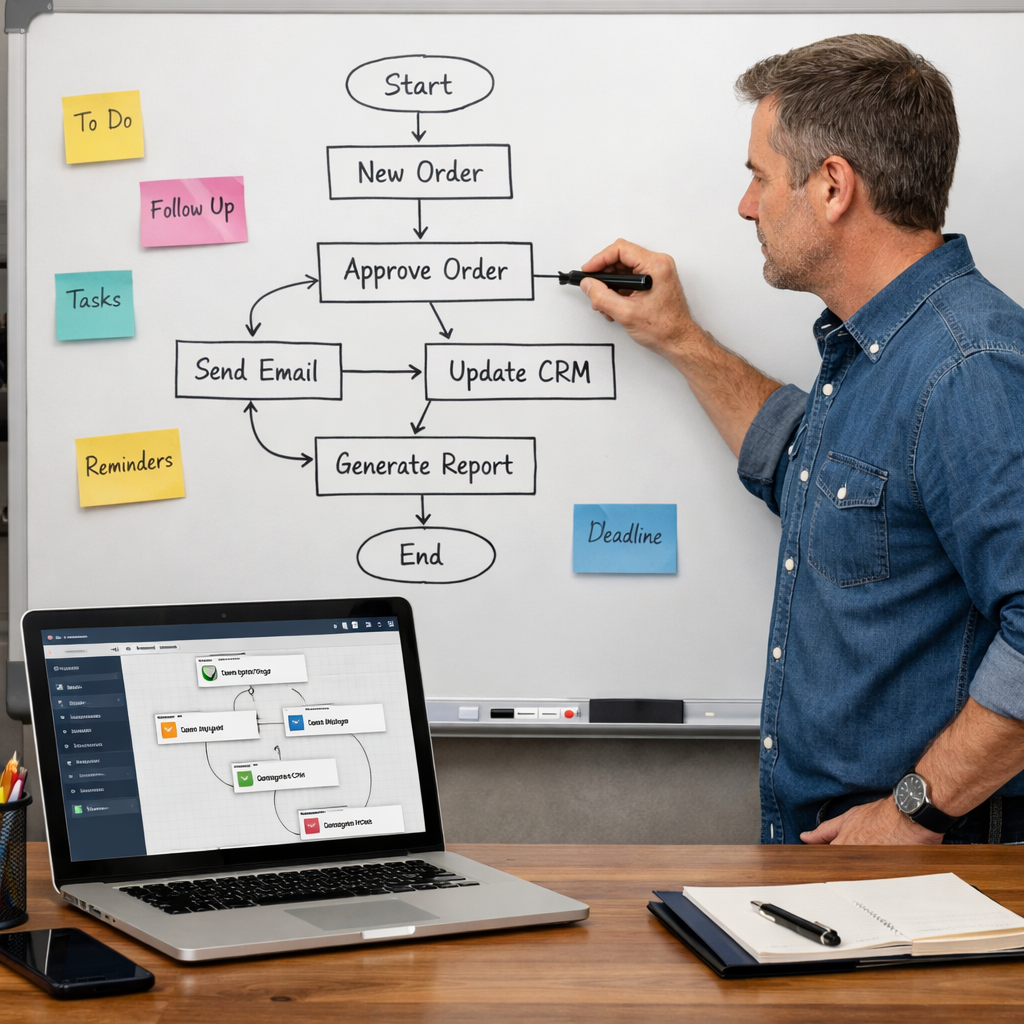
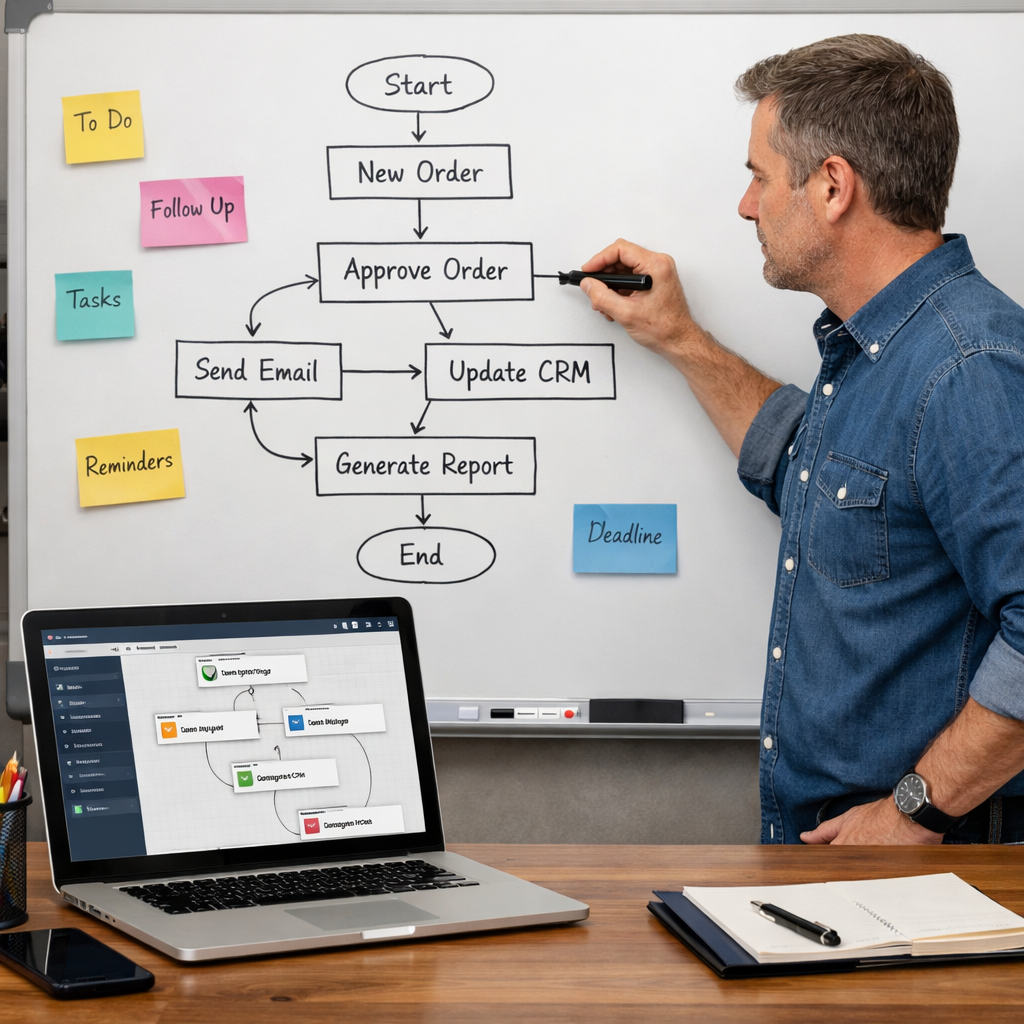
With a list in hand, draw the flow of each process. Use stick‑notes or a free diagram tool. Show every step, decision point, and hand‑off. This visual map helps you see where a trigger can start an automation.
For example, an order‑to‑invoice workflow might look like:
- Customer fills out order form.
- Form data lands in the CRM.
- CRM creates a draft invoice.
- Invoice is emailed to the customer.
Each arrow is a chance to add a trigger. When the form is submitted, an automation can create the invoice automatically, then send the email without human touch.
Choose a tool that matches your tech comfort level. No‑code builders let you drag and drop actions. If you already use TwiLead, its workflow builder offers hundreds of triggers and actions without writing code.
Once you pick a tool, import the workflow diagram into its builder. Test each step with a dummy record. Fix any logic gaps before you go live.
And remember, you can always tweak later. Automation is an iterative process.
Step 3: Automate Email Sequences for Lead Nurturing
Email is still the fastest way to stay top‑of‑mind with a prospect. Automation lets you send the right message at the right time without manual effort.
Start by defining the stages of your funnel: new lead, engaged lead, warm lead, and ready‑to‑buy. For each stage, write a short email (150‑200 words) that adds value , a tip, a case study, or a discount.
Next, set up triggers:
- When a contact fills a form, add them to “new lead” list.
- When they open the first email, move them to “engaged”.
- When they click a product link, move them to “warm”.
Each trigger launches the next email in the series. Most tools let you add a wait time, like two days between messages.
Testing is key. Send the series to yourself first. Check that links work, personalization fields pull the right name, and the timing feels natural.
According to Wikipedia’s entry on email automation, well‑timed sequences can boost open rates by up to 40%.
“Your follow‑up email lands in the inbox at the right moment.”
Don’t let the system replace the human touch. Keep a short, personal line at the end of each email that says you’re happy to chat.
For a deeper dive on AI‑driven follow‑ups, see our AI Appointment Setter Guide: How It Works, Benefits, and Choosing the Right Solution (2026). It shows how AI can draft replies while you stay in control.
Bottom line:Build a staged email series, hook each step to a trigger, and test before you launch.
Want to know how you could improve your business?
Our team is available for a free consultation.
Step 4: Automate Lead Capture and Data Entry
Every new lead starts with a form. Manually copying that data into a CRM is a recipe for mistakes.
Choose a form builder that talks directly to your CRM. TwiLead’s built‑in form creator syncs submissions instantly to the contact database. No extra plugins needed.
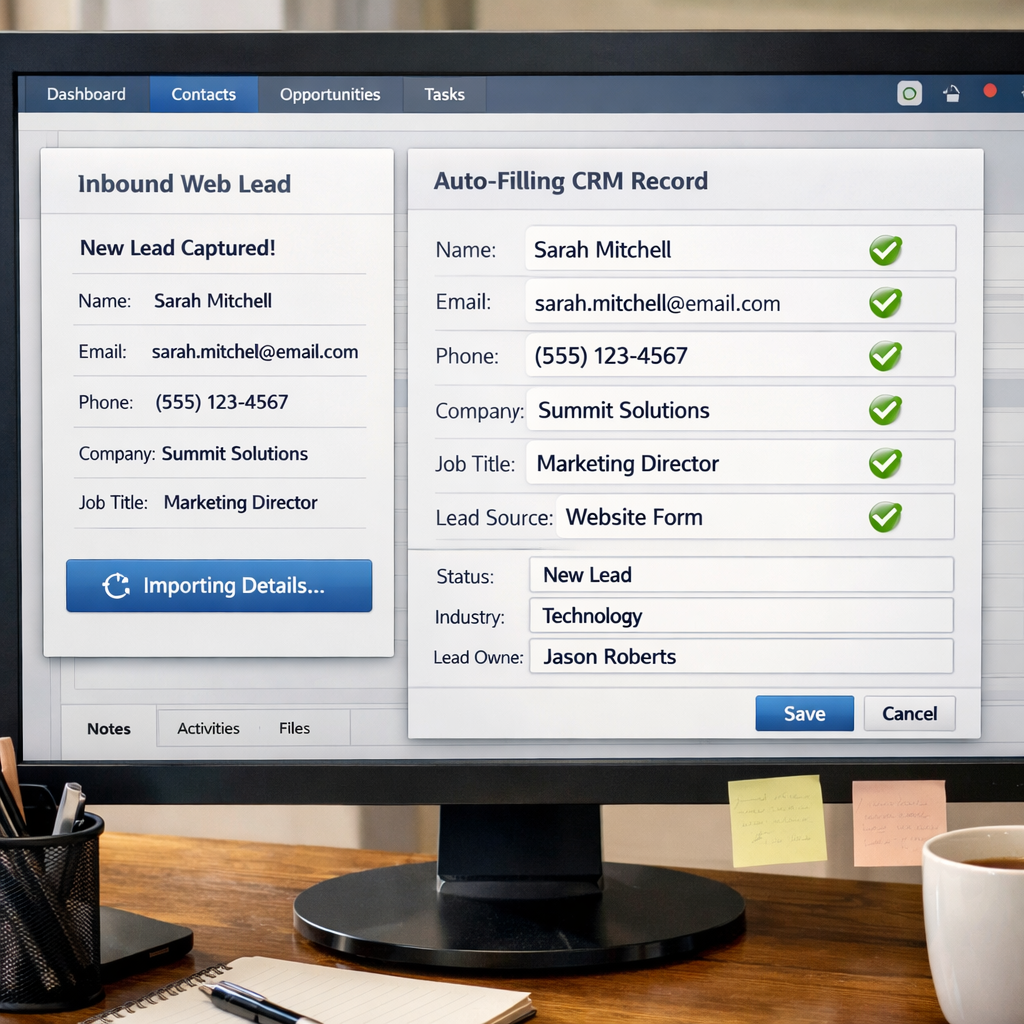
Set up the form fields you need: name, email, phone, company, and a custom question that tells you the lead’s budget. When the form is submitted, the automation should:
- Create or update the contact record.
- Tag the contact with the source (e.g., “Website Form”).
- Send a welcome email with a link to a free resource.
- Notify the sales rep via Slack or email.
This flow eliminates double entry and ensures every lead gets a prompt reply.
Here’s a real‑world snapshot: A coaching business used TwiLead’s form automation and cut data‑entry time from 10 minutes per lead to under a minute. Errors dropped from 12% to 0%.
If you need more options, check out the Top Lead Capture Software Solutions for 2026. It lists alternatives that still integrate with most CRMs.
Remember to test the form on mobile and desktop. A broken field can cost you a high‑value prospect.
Bottom line:Link your lead forms directly to the CRM, add a welcome email, and set up a notification for the sales team.
Step 5: Monitor and Optimize Your Automation Performance
Automation isn’t a set‑and‑forget job. You need to watch key metrics and tweak the logic when things slip.
Start with three core KPIs:
- Success rate , % of triggers that fire without error.
- Time saved , minutes reclaimed per automated task.
- Conversion lift , extra deals closed thanks to faster follow‑up.
Pull these numbers from your automation platform’s dashboard. If a step shows a 0% success rate, dig into the logs.
The U.S. Small Business Administration notes that tracking automation metrics helps small firms stay agile and cut waste ( SBA automation guide).
Another useful source is the National Institute of Standards and Technology, which outlines best practices for measuring process performance ( NIST automation standards).
Run A/B tests on email copy, wait times, and routing rules. Compare open rates, click‑through, and deal closure. Use the winning version as your new default.
Finally, schedule a quarterly review. Bring the whole team, walk through the dashboard, and note any bottlenecks. Update the workflow diagrams to reflect new learnings.
Bottom line:Track success rates, time saved, and conversion lift, then refine the flow each quarter.
Conclusion
We’ve walked through every step you need to turn chaotic tasks into smoothbusiness automations. Start by spotting the repetitive chores that steal your time. Map each process, pick a no‑code tool that fits your budget, and build the workflow. Set up email sequences that nurture leads without lifting a finger. Hook your forms straight into the CRM so data never gets lost. Then keep an eye on the numbers and improve regularly.
With TwiLead you get all the pieces , CRM, email, website builder, booking, invoicing, and AI agents , in one flat price of $127 / month. No hidden per‑seat fees. You can start with a 14‑day free trial and cancel any time. Let us handle the tech while you focus on selling.
Ready to cut the manual grind? Discover all our features and launch your first automation today.
Frequently Asked Questions
What types of tasks are best for business automations?
Any task that repeats often and follows a set rule works well. Examples include data entry, invoice generation, follow‑up emails, appointment reminders, and lead capture. The key is that the task has clear inputs and predictable outputs, so the automation can act without human judgement.
Do I need technical skills to set up these automations?
No. Most platforms, including TwiLead, offer drag‑and‑drop builders that let you connect triggers and actions with a few clicks. You only need to know the steps of your own process, not how to write code.
How much time can I really save with business automations?
Studies from the U.S. Small Business Administration show that small firms report up to a 30% reduction in manual work after automating core processes. That translates to several hours each week that you can devote to revenue‑generating activities.
Is it safe to give a tool access to my customer data?
Yes, as long as you pick a reputable platform that follows industry‑standard encryption and privacy policies. TwiLead stores data on secure servers and offers role‑based permissions so you control who sees what.
Can I automate across multiple apps I already use?
Absolutely. Most automation builders include hundreds of native integrations and also support webhooks or API calls for custom connections. TwiLead’s integration library covers email, payment, calendar, and more, all without extra code.
How do I know if an automation is working correctly?
Monitor the success‑rate KPI in your dashboard. A healthy automation fires 95% or more of the time. Set up log alerts for failures, and run a test record every week to verify the end‑to‑end flow.
What if I need to change a workflow later?
Automation tools let you edit a workflow at any time. Change a trigger, add a step, or adjust a wait time, then re‑activate. The change takes effect for all new records, while existing records keep their history.
Is a free trial enough to test business automations?
Yes. A 14‑day free trial gives you full access to every feature, so you can build a couple of pilot automations, run them on live data, and measure the impact before committing.