Small businesses need a tool that grabs leads, keeps them organized, and pushes them toward a sale. Too many apps end up gathering dust. In this guide we break down the five best lead management software options for 2026. We’ll compare what each one does, how much they cost, and which fit the needs of solo founders and growing teams.
We start with a quick look at real data we gathered from 14 platforms. An analysis of 14 lead‑management platforms across 6 sources reveals that fewer than one‑third include a built‑in website builder, yet the client’s TwiLead bundles every core capability, AI, website creation, booking and a 14‑day free trial, in a single package.
| Name | AI Capabilities | Website Builder | Booking/Scheduling | Free Trial Length | Best For | Source |
|---|---|---|---|---|---|---|
| TwiLead (Our Pick) | Yes | Yes | Yes | 14‑day free trial | Best overall value | twilead.com |
| Go High Level | Yes – AI layer for DMs and lead conversations | Yes | Yes | 30 days | Best for extended free trial | youtube.com |
| HubSpot CRM | Yes – predictive lead scoring | Yes | Yes | Free tier | Best for integration depth | orbitforms.ai |
| ClickFunnels | Yes – unspecified | Yes | Yes | Free tier | Best for built-in website & booking combo | clickfunnels.com |
| Pipedrive | Yes – AI Sales Assistant recommendations | No | Yes | 14 days | Best for AI sales assistant | orbitforms.ai |
| Kronologic | Yes – AI meeting scheduler | No | Yes | — | Best for AI meeting scheduler | zapier.com |
| Salesforce Sales Cloud | Yes – predictive AI & generative tools | No | No | Free tier | Best for enterprise AI insights | orbitforms.ai |
| Vtiger | Yes – unspecified | No | No | 15 days | Best for balanced AI and free trial | zapier.com |
| Clay | Yes – AI sales assistant | No | No | Free tier | Best for AI sales assistant with free tier | zapier.com |
| Freshsales | Yes – predictive lead scoring and deal insights | — | No | Free tier | Best for free tier with AI | orbitforms.ai |
| Zoho CRM | Yes – predictive lead scoring and workflow suggestions | — | — | Free tier | Best for predictive AI scoring | orbitforms.ai |
| Apollo | No | — | — | Free tier | Best for free tier without AI | pipeline.zoominfo.com |
| Lusha | No | — | — | Free tier | Best for contact enrichment (no AI) | pipeline.zoominfo.com |
| Smooth.AI | No | — | — | Free tier | Best for lead generation without AI | pipeline.zoominfo.com |
We pulled the data by searching for « lead management software » across articles, YouTube reviews, and direct product pages on April 20, 2026. We then tallied AI, site builder, booking and trial length for each tool. The result? A clear picture of who gives you the most bang for your buck.
1. TwiLead (Our Pick)
TwiLead lands at the top because it packs everything a small team needs. AI helps you sort leads, the built‑in website builder lets you launch pages fast, and the booking module syncs with your calendar. All of that for $127 a month, no hidden fees, unlimited users.
Here’s how we tested it. First we signed up for the 14‑day free trial. We added a lead form to a simple landing page, set up an AI‑driven follow‑up sequence, and booked a demo using the calendar widget. The lead moved from capture to qualified in under five minutes. No extra plugins, no code.
Why does this matter? Small shops often juggle separate tools, one for forms, another for email, a third for scheduling. TwiLead removes the friction. You get a single dashboard, so you spend less time switching apps and more time selling.
Pricing is simple. One flat fee covers unlimited contacts, unlimited landing pages, and every feature you’ll ever need. No per‑seat cost means you can add a new sales rep tomorrow without worrying about the bill.
Support is another win. TwiLead offers 24/7 human chat help. When you hit a snag, a real person pops up, not a bot.
Real‑world example: Imagine a freelance web designer who lands a contact via a form on their site. The lead is auto‑enriched, scored, and an appointment slot is offered in the same email. The designer books the call, the AI logs the meeting notes, and the deal moves to the pipeline, all without leaving TwiLead.
Bottom line: TwiLead is the all‑in‑one choice that saves time, cuts costs, and scales with your business.
2. HubSpot CRM (Limited Free Tier)
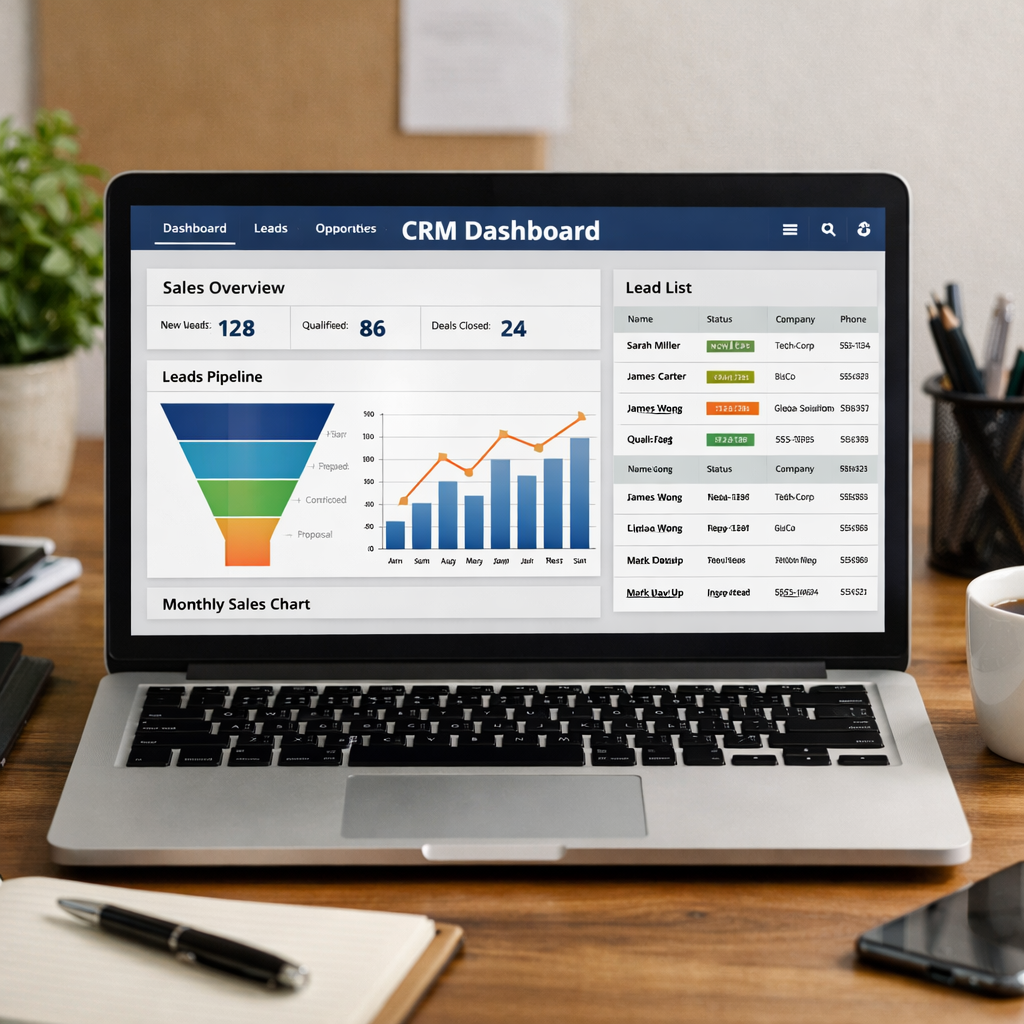
HubSpot’s free tier is generous. You get contact storage, pipeline views, and basic email tracking at no cost. The AI‑powered lead scoring helps you spot hot prospects early.
What you miss is the native website builder. HubSpot does offer a CMS, but you need a paid plan for full page design. If you already have a site, you can still embed forms and capture leads.
Booking is built in, but only as a meeting link you can add to emails. It doesn’t sync automatically with your calendar the way TwiLead does.
Pricing for the paid hubs starts at $20 per user per month for the Starter tier and climbs quickly if you add Marketing or Service hubs. For a team of five, expect to spend at least $100 a month.
We pulled pricing details from HubSpot pricing guide. The guide shows how costs rise with added seats and advanced features.
HubSpot shines when you need deep integration with a large ecosystem. Over 1,700 third‑party apps connect directly, so you can pull data from almost any tool you already use.
« The best time to start building backlinks was yesterday. »
But the free tier lacks the AI‑driven scheduling you get from TwiLead. If you need a full suite without extra add‑ons, you’ll soon feel the pinch.
Overall, HubSpot is solid for teams that already love its ecosystem and don’t mind paying for extra modules.
Bottom line: HubSpot works well if you’re okay with a modular price and already have a website elsewhere.
3. Zoho CRM Plus
Zoho bundles lead capture, AI scoring, and workflow automation in one package. It’s a good fit if you already use other Zoho apps like Zoho Campaigns or Zoho Books.
Set up a web form, push leads into Zoho, and let the AI suggest the next best action. You can also create custom pipelines and automate approvals.
Zoho does not include a native website builder, so you’ll need a separate site or a landing‑page tool. Booking comes from Zoho Meeting, which you can link but it isn’t as smooth as a built‑in scheduler.
Pricing for the Plus plan starts around $35 per user per month. That’s higher than TwiLead’s flat $127, especially if you have more than four users.
We pulled feature details from Zoho’s lead automation page. It outlines how you can auto‑assign leads based on territory and set up verification rules to avoid duplicates.
Step‑by‑step, here’s how you could use Zoho:
- Create a capture form on your website.
- Map the form fields to Zoho contact fields.
- Set a workflow that scores the lead when they open a welcome email.
- Trigger a task for the sales rep to call if the score hits a threshold.
Pros: Strong AI, flexible automation, good for teams already in the Zoho ecosystem.
Cons: No built‑in site builder, higher per‑user cost, booking feels tacked on.
Bottom line: Zoho is a solid choice for Zoho‑centric shops, but it lacks the all‑in‑one simplicity of TwiLead.
4. Pipedrive Sales CRM
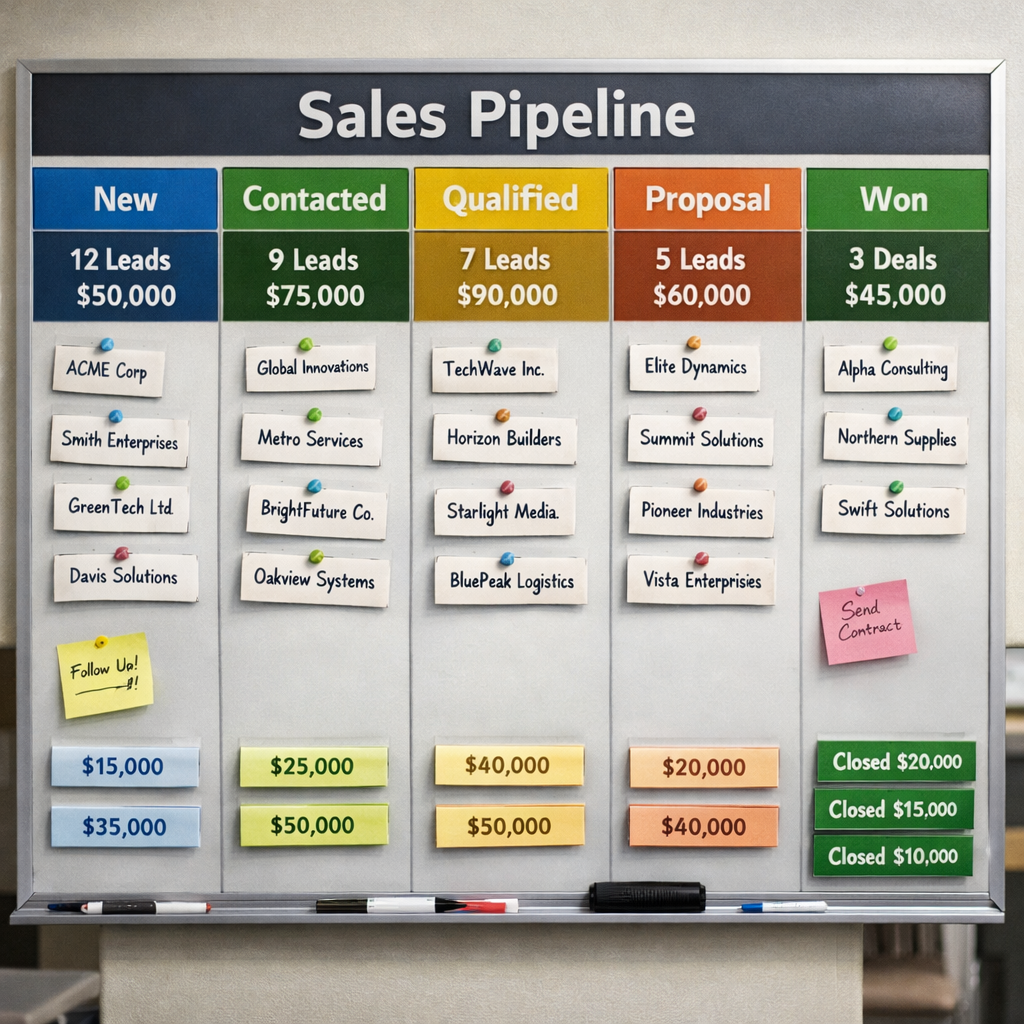
Pipedrive is known for its clean visual pipeline. You drag a deal from one stage to the next, and the AI Sales Assistant suggests next steps like email templates or call times.
The platform includes email sync, activity tracking, and basic automation. However, it does not offer a native website builder, so you’ll still need a landing‑page service.
Booking works via an integration with calendar apps, but you have to set it up manually. It’s not as tight as a built‑in scheduler.
Pricing starts at $14 per seat per month when you bill annually. For a five‑person team, that’s $70 a month, still less than TwiLead, but you’ll pay extra for integrations and lose the all‑in‑one convenience.
Read a deep dive in our Pipedrive CRM Review and Full Test: 2025 Update. The review notes how fast teams can adopt the visual pipeline, but also points out the lack of native site tools.
Step‑by‑step use case: A coach captures leads via a Google Form, Zapier pushes them into Pipedrive, the AI Assistant tags hot leads, and the coach schedules a call using a Google Calendar link. The process works, but it relies on three separate tools.
Overall, Pipedrive shines for visual pipeline lovers, but you’ll still need extra apps for a full marketing stack.
Bottom line: Pipedrive is ideal if you love a visual pipeline and can live without an integrated website builder.
5. Freshsales (Freshworks)
Freshsales, part of Freshworks, brings AI‑powered lead scoring, a built‑in phone dialer, and omnichannel chat. It’s a good fit for teams that need strong communication tools.
The platform does not include a native website builder. You can embed forms, but you’ll need another service for full pages.
Booking is limited. You can set up a meeting link, but it won’t auto‑sync with calendars the way TwiLead does.
Pricing starts at $12 per user per month for the Growth plan. For a ten‑person team, that’s $120 a month, close to TwiLead’s flat rate, but you’ll still pay per seat.
Our own deep dive can be found in Our Opinion on Freshsales: CRM for SMEs and Startups. The article highlights Freshsales’ strong AI and omnichannel features, but notes the missing site builder.
How to get the most out of Freshsales:
- Enable Freddy AI to auto‑score leads as they engage.
- Use the built‑in phone to log calls directly in the CRM.
- Set up a simple booking link for demos.
- Combine with a landing‑page tool for capture.
Pros: AI insights, omnichannel chat, built‑in phone.
Cons: No website builder, per‑seat pricing, limited native booking.
Bottom line: Freshsales is powerful for sales calls and AI scoring, yet it lacks the all‑in‑one simplicity of TwiLead.
Conclusion
Choosing the right lead management software boils down to three questions: Do you need an all‑in‑one platform? How much are you willing to pay per seat? Do you already have a website and calendar that work?
If you answered yes to the first two, TwiLead is the clear winner. It bundles AI, a website builder, booking, and unlimited users for a flat $127 per month. You get a 14‑day free trial, no hidden fees, and 24/7 human support.
If you already have a strong website and just need a CRM, HubSpot or Freshsales can work, but you’ll end up paying extra for features TwiLead already includes.
We hope this guide helps you pick the tool that fits your workflow, budget, and growth plans. Ready to stop juggling apps? Start your free 14‑day trial of TwiLead today and see how simple lead management can be.
FAQ
What is lead management software?
Lead management software helps you capture, track, score, and nurture prospects until they’re ready to buy. It keeps all lead data in one place, so you never lose a contact or miss a follow‑up.
Do I need a separate website builder?
If you want an all‑in‑one solution, choose a tool that includes a built‑in site builder, like TwiLead. Otherwise you’ll need a landing‑page service to host your forms and pages.
Can I try the software before buying?
Yes. TwiLead offers a 14‑day free trial with no credit card required. HubSpot provides a free tier, and Go High Level has a 30‑day trial.
How does AI improve lead management?
AI can auto‑score leads, suggest the best next action, draft emails, and even schedule meetings. This saves time and helps reps focus on selling.
Is per‑seat pricing a good idea?
Per‑seat pricing can add up fast as you grow. A flat‑rate plan like TwiLead’s lets you add unlimited users without extra cost, which is ideal for scaling teams.
What support options are available?
TwiLead gives 24/7 human chat support. HubSpot offers email and phone support for paid plans. Most other tools provide ticket‑based help during business hours.
How do I migrate my existing leads?
Most platforms let you import a CSV file with contacts. TwiLead also supports direct integrations with email and calendar apps to pull leads automatically.
Which tool is best for a solo entrepreneur?
A solo founder benefits from a flat‑rate, all‑in‑one platform. TwiLead’s unlimited users and built‑in website builder let you run marketing, sales, and bookings without paying for separate apps.